
PostgreSQL probe
The PostgreSQL probe connects to a PostgreSQL server, runs a SQL statement, and returns the result: a result set, an update count, or a server error. Like the MySQL probe, it closes the loop on integration testing: after an HTTP call writes a record, a PostgreSQL step can confirm the row actually landed.
Unlike the hand-rolled protocol probes, the PostgreSQL probe is library-backed (the PostgreSQL JDBC driver, pgjdbc) with connection pooling, so repeated sends and the steps of a chain reuse connections instead of reconnecting each time.
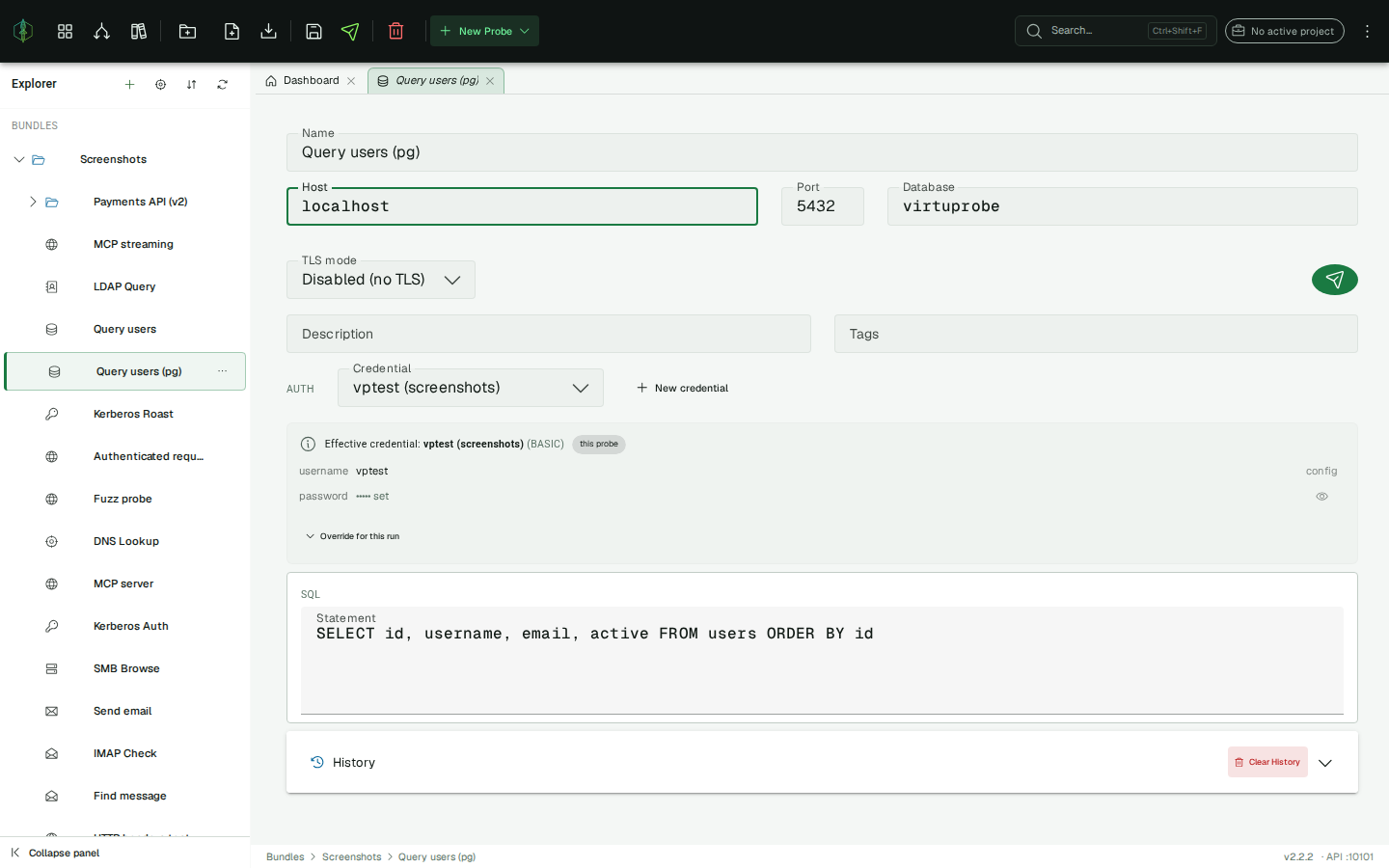
Connection settings
Section titled “Connection settings”| Field | Description |
|---|---|
| Host | Hostname or IP of the database server |
| Port | Server port (default: 5432) |
| Database | Database to connect to (optional; PostgreSQL defaults to a database named after the user when omitted) |
| TLS mode | Disabled, Required (encrypt without verifying the certificate), Verify CA, or Verify identity (verify the certificate chain and hostname) |
PostgreSQL authenticates with SCRAM-SHA-256 by default, which works over a plain (Disabled) connection out of the box, so there is no public-key-retrieval step like MySQL’s caching_sha2_password.
Authentication
Section titled “Authentication”PostgreSQL logins use the credential store, so the username and password never live on the probe. This keeps secrets out of a shared folder-backed workspace (which stores probes as plain files) and out of exported evidence.
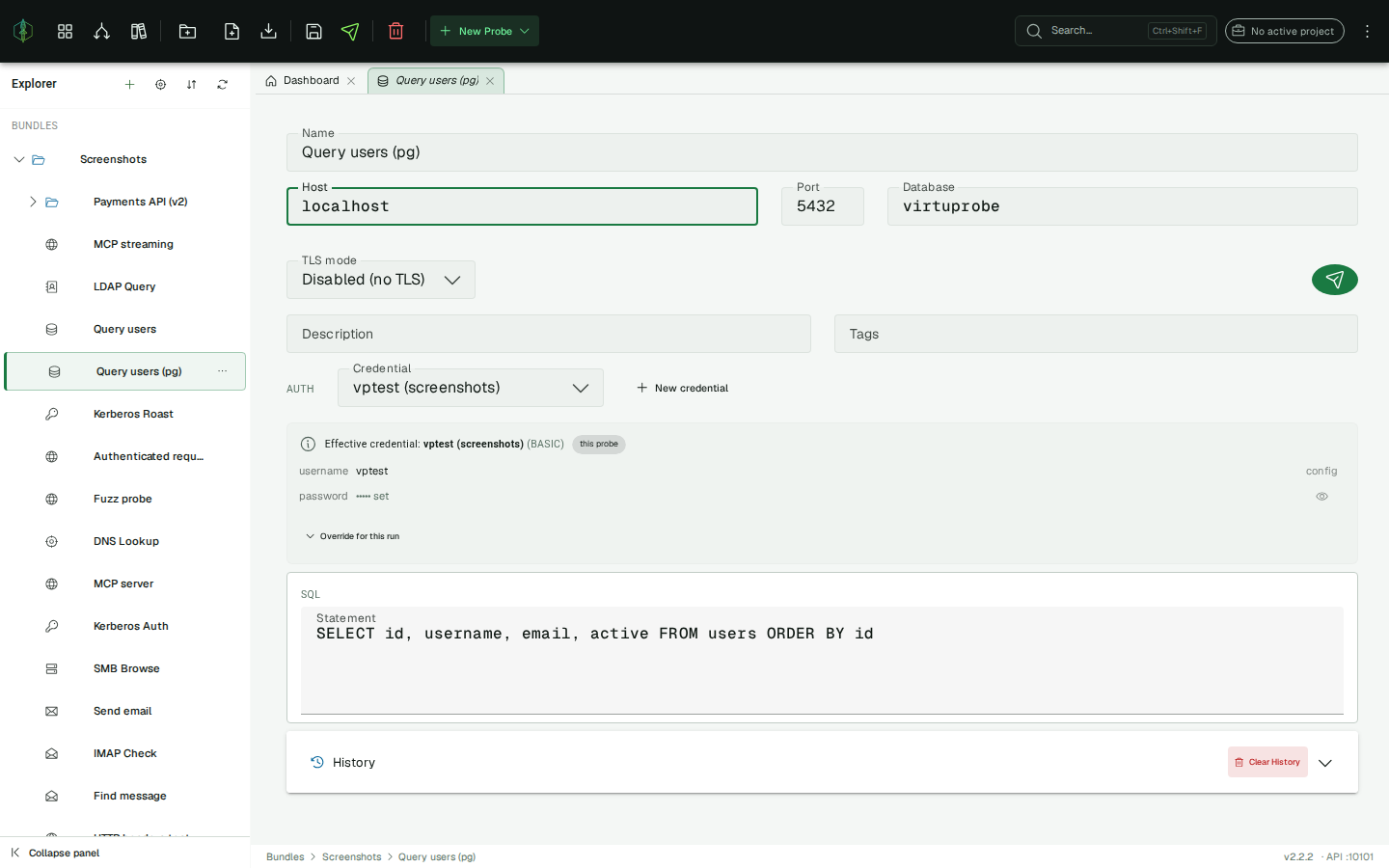
A database login is a username + password, which maps to a Basic credential (username in config, password in secrets). In the probe’s Auth row:
- Select an existing credential, or click New credential to create a Basic one (name, username, password).
- The effective credential panel shows what will be used and where it came from, either this probe or the project default (the cascade: a probe with no credential falls back to the project’s default credential).
- Stored secrets are masked; click the eye to reveal a value on demand (behind a confirmation).
- Override for this run lets you type a different username/password for a single send without changing the stored credential, which is how you try alternate credentials against the same target.
If no credential is selected, the connection is attempted anonymously.
SQL statement
Section titled “SQL statement”Enter the statement in the SQL editor. Ctrl/Cmd+Enter runs it. {{variable}} placeholders are resolved from the active environment before the statement is sent, and that deliberately includes substitution into the SQL text itself, which is what enables both data-driven chaining and SQL-injection testing.
Row limit
Section titled “Row limit”A send returns at most 1000 rows. The field sits under the SQL editor, and 0 means no limit.
A SELECT * against a production table is one keystroke away, and every row that comes back is held in memory and written into the run record, so the limit keeps a mistyped query from taking the app down with it.
When the statement matched more rows than the limit allows, the count beside the grid reads first 1000 rows, limit reached instead of a total. VirtuProbe asks the driver for one row past the limit and throws it away, so a query that returned exactly 1000 rows and a query that was cut off at 1000 are told apart rather than guessed at.
Response panel
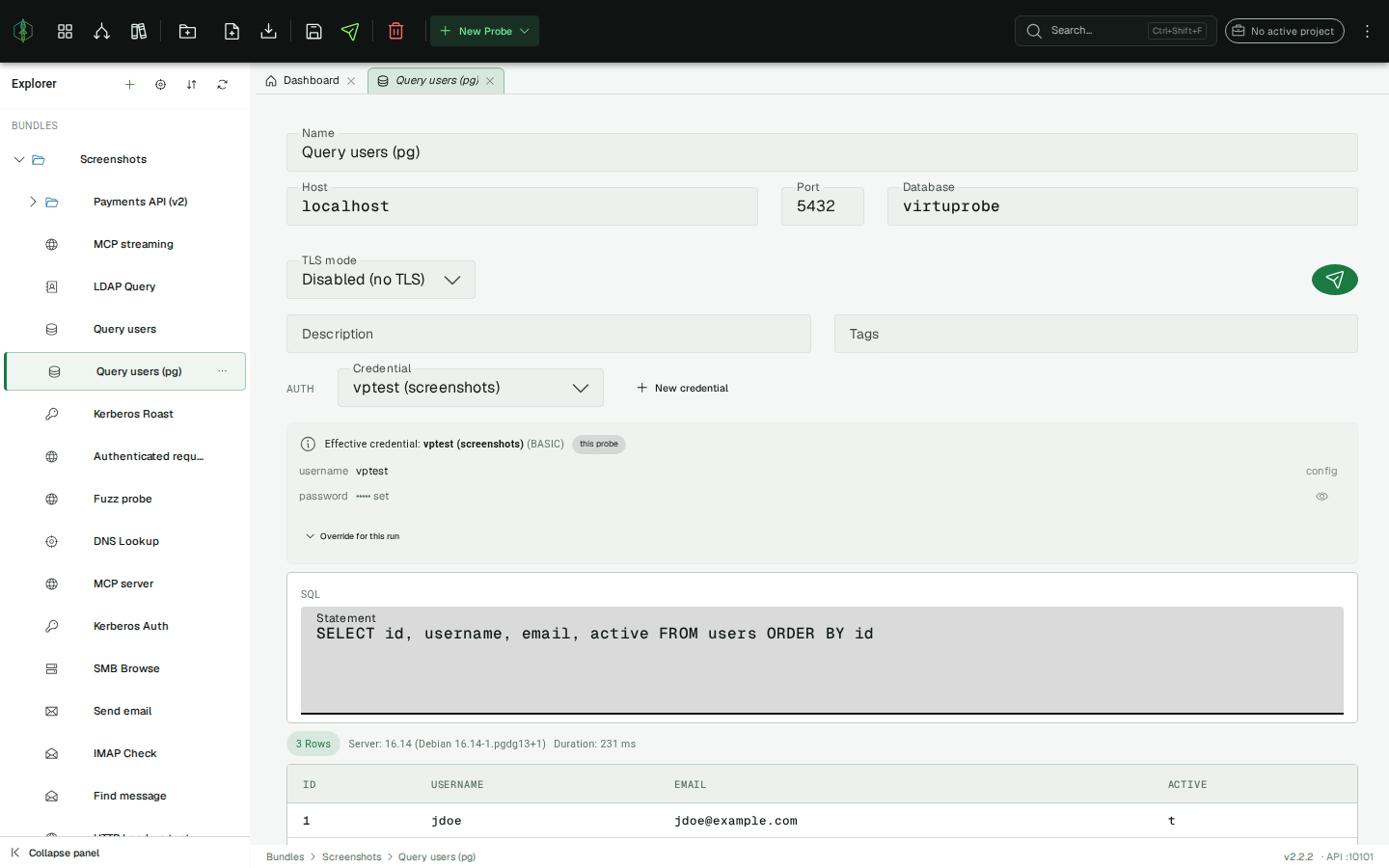
Section titled “Response panel”- Query (
SELECT,SHOW, …) → a scrollable result-set table. Column names come from the driver; a SQLNULLrenders as an italicNULL. - Update / DDL (
INSERT,UPDATE,DELETE,CREATE, …) → the number of affected rows, plus any generated keys. - Server error → a red panel with the message and the SQLSTATE (PostgreSQL’s error identity, e.g.
42P01for an undefined table). A rejected statement is a valid failed result, not a crash.
The status bar shows the row/affected count, the server version, and the client-side round-trip duration.
Extractors
Section titled “Extractors”Use these in chain steps to pull values out of a PostgreSQL result for later steps or assertions:
| Extractor | Returns |
|---|---|
POSTGRES_SUCCESS | "true" / "false" |
POSTGRES_ROW_COUNT | number of rows returned by a query |
POSTGRES_AFFECTED_ROWS | rows affected by an update/DDL (-1 for a query) |
POSTGRES_COLUMN | a single cell, with expression column, row.column or row.colIndex (e.g. email, 0.email, 2.1) |
POSTGRES_ERROR_CODE | the SQLSTATE of a rejected statement (e.g. 42P01) |
POSTGRES_JSON | the whole result set as a JSON array |
See Extractors for the full list.
Chains
Section titled “Chains”PostgreSQL is a first-class chain step. A common pattern is HTTP → PostgreSQL: call an API that creates a record, then run a SELECT and ASSERT on a POSTGRES_COLUMN value to prove the write. {{variable}} values (including extractor output from earlier steps) resolve into the SQL, host, database, and query. Credentials resolve at the moment the query runs, never from the stored probe.
History
Section titled “History”Each send is recorded as a history entry with the statement as sent (resolved variables), the result, and a timestamp. Click an entry to restore it.
A probe keeps its 50 most recent sends. A stored result set keeps its first 1000 rows and any stored text is kept to its first 256 KB, with the original size recorded beside it. History is a quick look back at what a probe returned, so it is bounded more tightly than a chain run, which is the record you keep as evidence.
Implementation notes
Section titled “Implementation notes”- Driver: the PostgreSQL JDBC driver (pgjdbc, BSD). The query/extract/chain path has no need to control individual bytes, so a library is the right tool here.
- Connection pooling: HikariCP, keyed by the connection signature (host/port/database/user/TLS). Reuse avoids reconnecting on every send. Note that pooling hands you a connection, not necessarily the same physical one, so per-session state (temporary tables,
SET,search_path) is not guaranteed to persist between chain steps. - Error identity: PostgreSQL reports errors by the 5-character SQLSTATE; the numeric vendor code is
0with pgjdbc, soPOSTGRES_ERROR_CODEextracts the SQLSTATE.