
HTTP probe
The HTTP probe lets you send a fully configured HTTP request to any target and inspect the response. It supports all standard methods, custom headers, query parameters, cookies, and a request body.
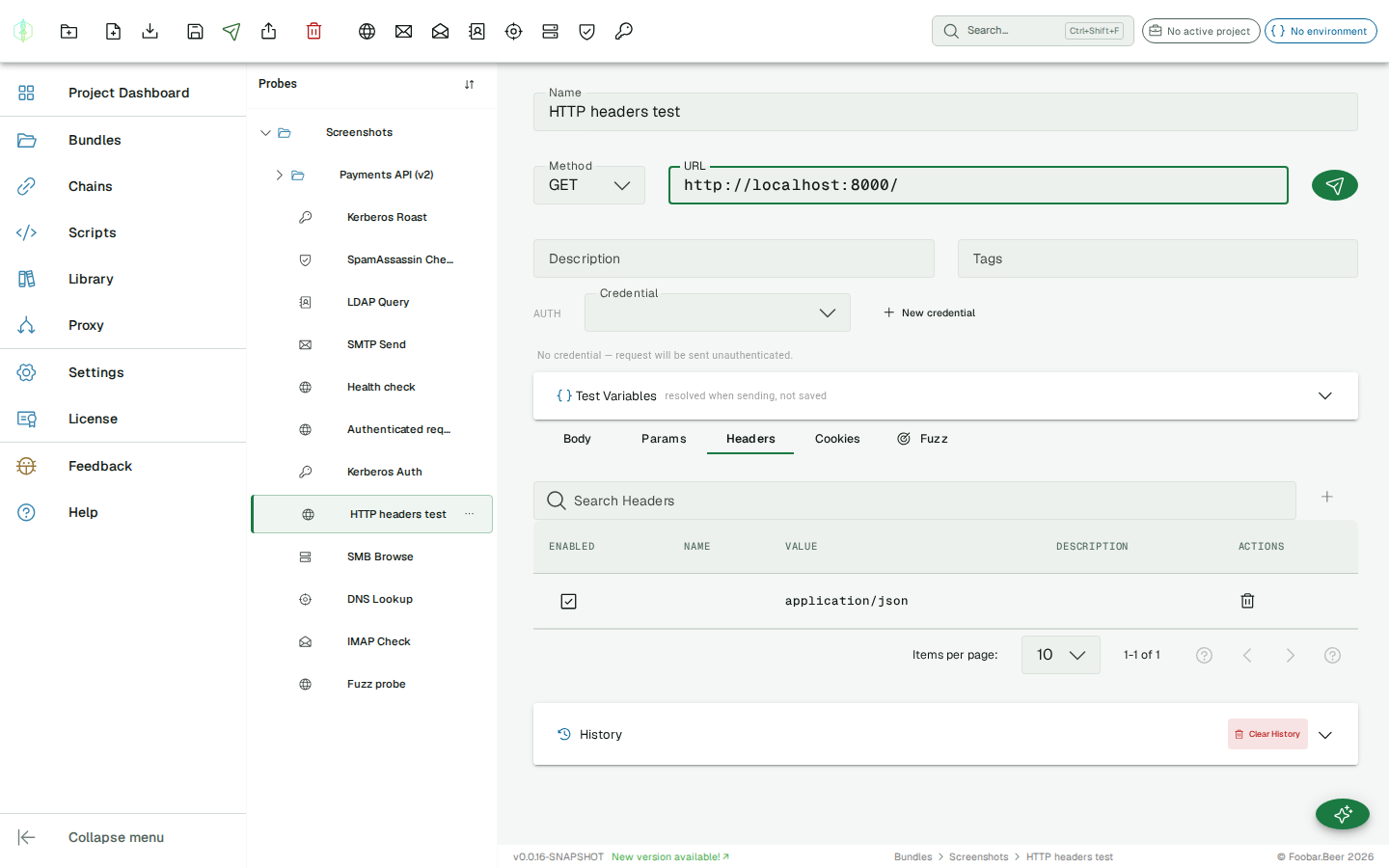
Configuration
Section titled “Configuration”| Field | Description |
|---|---|
| URL | Full target URL including scheme (http:// or https://) |
| Method | HTTP method: GET, POST, PUT, PATCH, DELETE, HEAD, OPTIONS |
| Headers | Key-value pairs sent as request headers |
| Query parameters | Key-value pairs appended to the URL |
| Body | Request body (for POST/PUT/PATCH) |
| Cookies | Key-value pairs sent as Cookie header |
TLS & self-signed certificates
Section titled “TLS & self-signed certificates”When the URL uses https://, the probe validates the server certificate against the
system trust store by default. To test a server that presents a self-signed or
private-CA certificate, enable Trust self-signed on the Auth row. The probe then
skips certificate validation for that request, so the TLS handshake succeeds instead of
failing. This also covers TLS to an MCP server over HTTPS.
Trust self-signed is set per probe and is off by default. Turn it on only for hosts you control or explicitly trust.
GraphQL requests
Section titled “GraphQL requests”The Body tab has a Raw / GraphQL toggle. Switch it to GraphQL and you get two dedicated editors instead of a single body:
- Query: the GraphQL query or mutation.
- Variables: a JSON object of query variables.
VirtuProbe serializes the two into a { "query": …, "variables": … } request body and sets Content-Type: application/json for you, so you don’t hand-assemble the envelope. Switch back to Raw at any time to see or edit the serialized body directly.
query User($id: ID!) { user(id: $id) { name email }}{ "id": "{{userId}}" }{{variables}} placeholders work in both editors, so the Query and Variables can draw from the active environment like any other field.
When you open a probe whose body is already a GraphQL envelope, VirtuProbe detects it and opens the GraphQL editors automatically. Probes round-trip unchanged, with no conversion.
MCP requests
Section titled “MCP requests”The Body tab’s mode toggle has a third option, MCP, for testing Model Context Protocol servers. MCP is the protocol AI tools use to reach their own tools and data, and it is JSON-RPC 2.0 carried over HTTP, so an MCP call is an HTTP request like any other. Switch the toggle to MCP and the body editor becomes a small MCP form:
- Transport: Streamable HTTP (the 2025-03-26 single-endpoint transport) or HTTP + SSE (the legacy two-endpoint transport).
- Method: the MCP method to call:
initialize,tools/list,tools/call,resources/read,prompts/get, and the rest. Picking a method pre-fills a params template where one applies. - Params (JSON): the JSON-RPC params object for the chosen method.
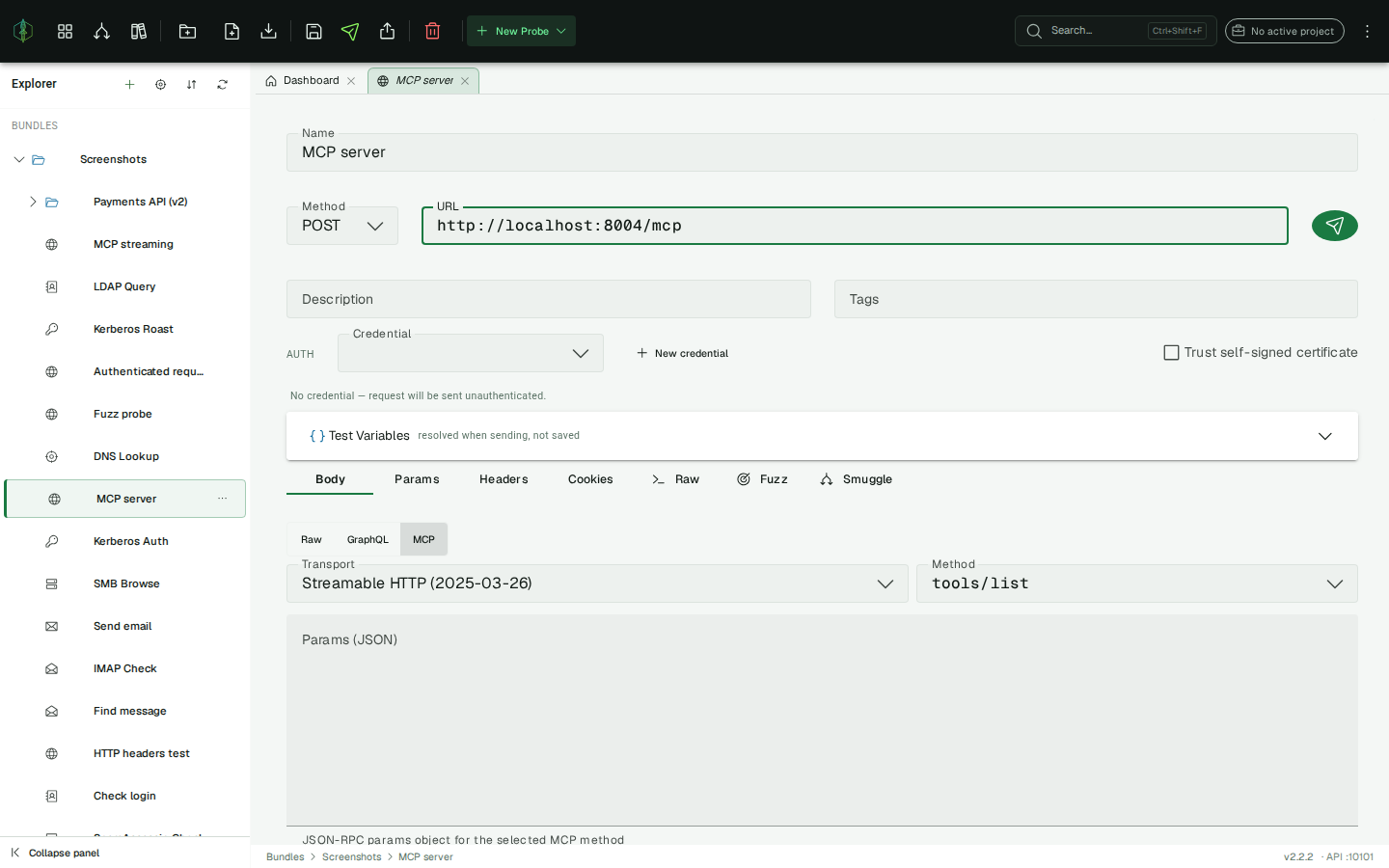
VirtuProbe serializes these into a { "jsonrpc": "2.0", "id": …, "method": …, "params": … } body and adds Content-Type: application/json and Accept: application/json, text/event-stream for you. Notification methods (notifications/*) are sent without an id, as the spec requires. Switch back to Raw at any time to see or edit the JSON-RPC envelope directly, and {{variables}} work in the params like any other field. When you reopen a probe whose body is already a JSON-RPC envelope, VirtuProbe detects it and opens the MCP form automatically.
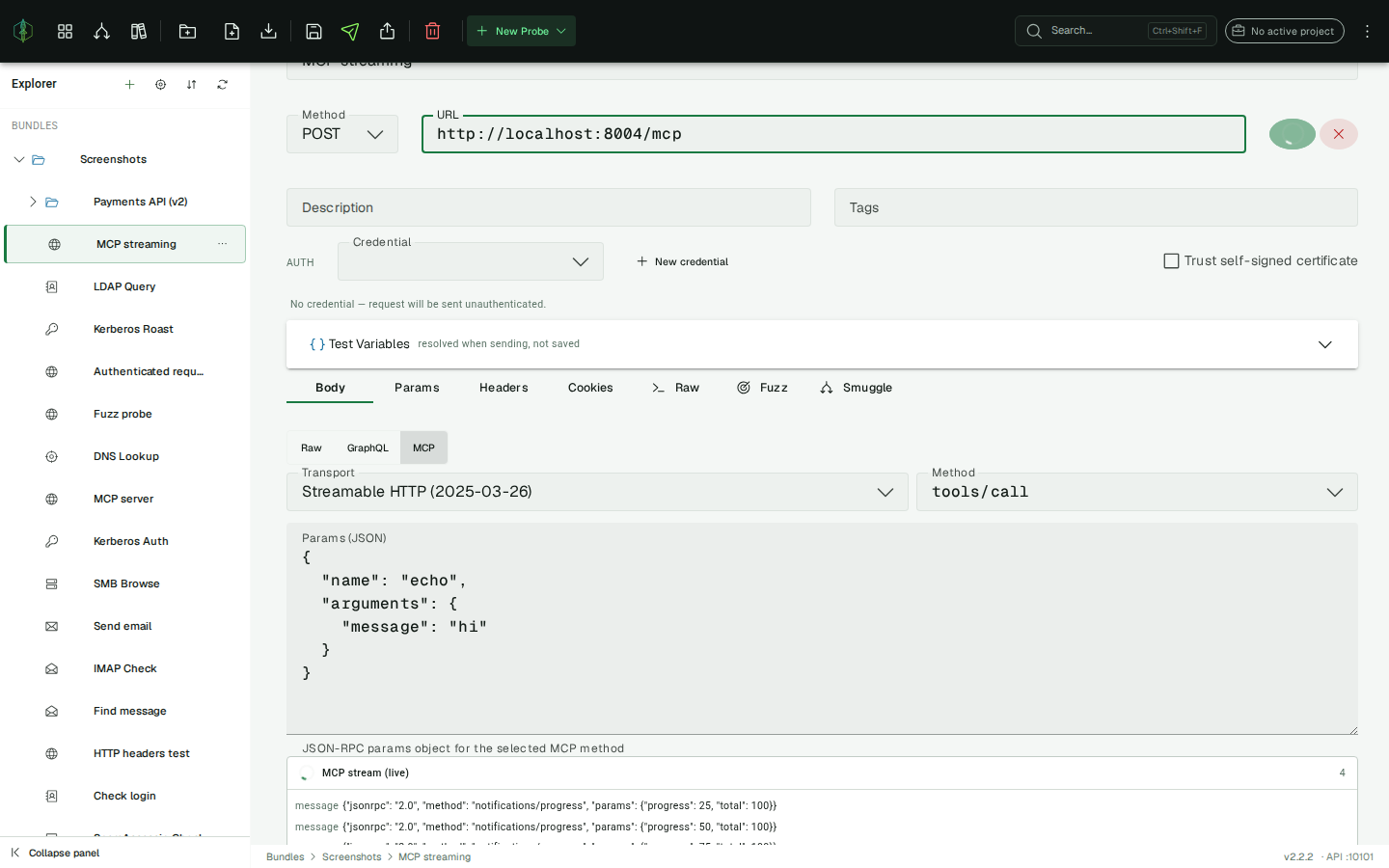
When the server answers with text/event-stream, VirtuProbe streams the events into the response panel live. An MCP stream card fills with each progress notification as it arrives, and the final JSON-RPC result is condensed below it. A plain application/json answer is shown as-is.
Session and chaining
Section titled “Session and chaining”MCP is stateful: the server issues an Mcp-Session-Id on initialize that every later call must echo. Because MCP steps are ordinary HTTP steps, you thread the session through a chain the same way you thread anything else: extract it once and replay it as a header. The full handshake becomes a short chain:
initialize: extract the session id with theMCP_SESSION_IDextractor into a variable (saysid).notifications/initialized: sendMcp-Session-Id: {{sid}}as a header.tools/list: extractMCP_TOOL_NAMES(newline-joined, so it drops straight into an ITERATE step).tools/call: invoke a tool and read the result withMCP_RESULT.
The other extractor is MCP_ERROR_CODE, for the JSON-RPC error code when a call fails.
Tool poisoning
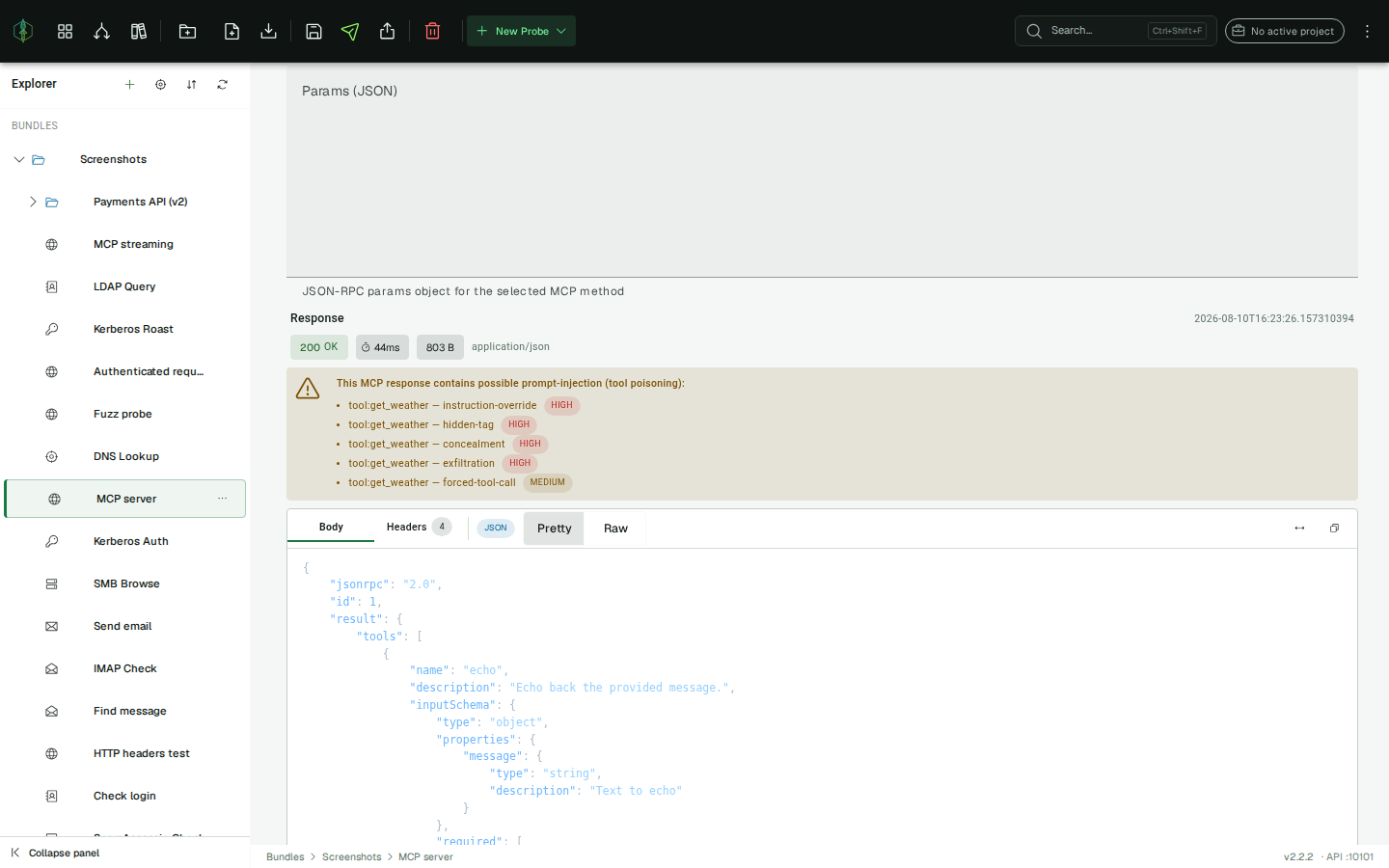
Section titled “Tool poisoning”When a response carries tool definitions or call results, VirtuProbe scans them for prompt injection, meaning instructions hidden in a tool’s description or output that try to hijack the calling agent (“tool poisoning”), and flags anything suspicious with a warning above the response body.
Request import & export
Section titled “Request import & export”Move requests in and out of VirtuProbe without retyping them.
Import from cURL / wget
Section titled “Import from cURL / wget”Paste a curl or wget command directly onto the URL field. VirtuProbe detects the command and fills in the method, URL, headers, query parameters, body, and cookies for you. A snackbar offers Undo if the paste wasn’t what you wanted.
This is the fastest way to bring in a request copied from browser DevTools (“Copy as cURL”), API documentation, or a teammate.
Export to standard tools
Section titled “Export to standard tools”With an HTTP probe selected, click the Export Request button in the toolbar. Choose a target and copy the generated command:
- cURL
- wget
- Python (
requests) - PowerShell (
Invoke-WebRequest)
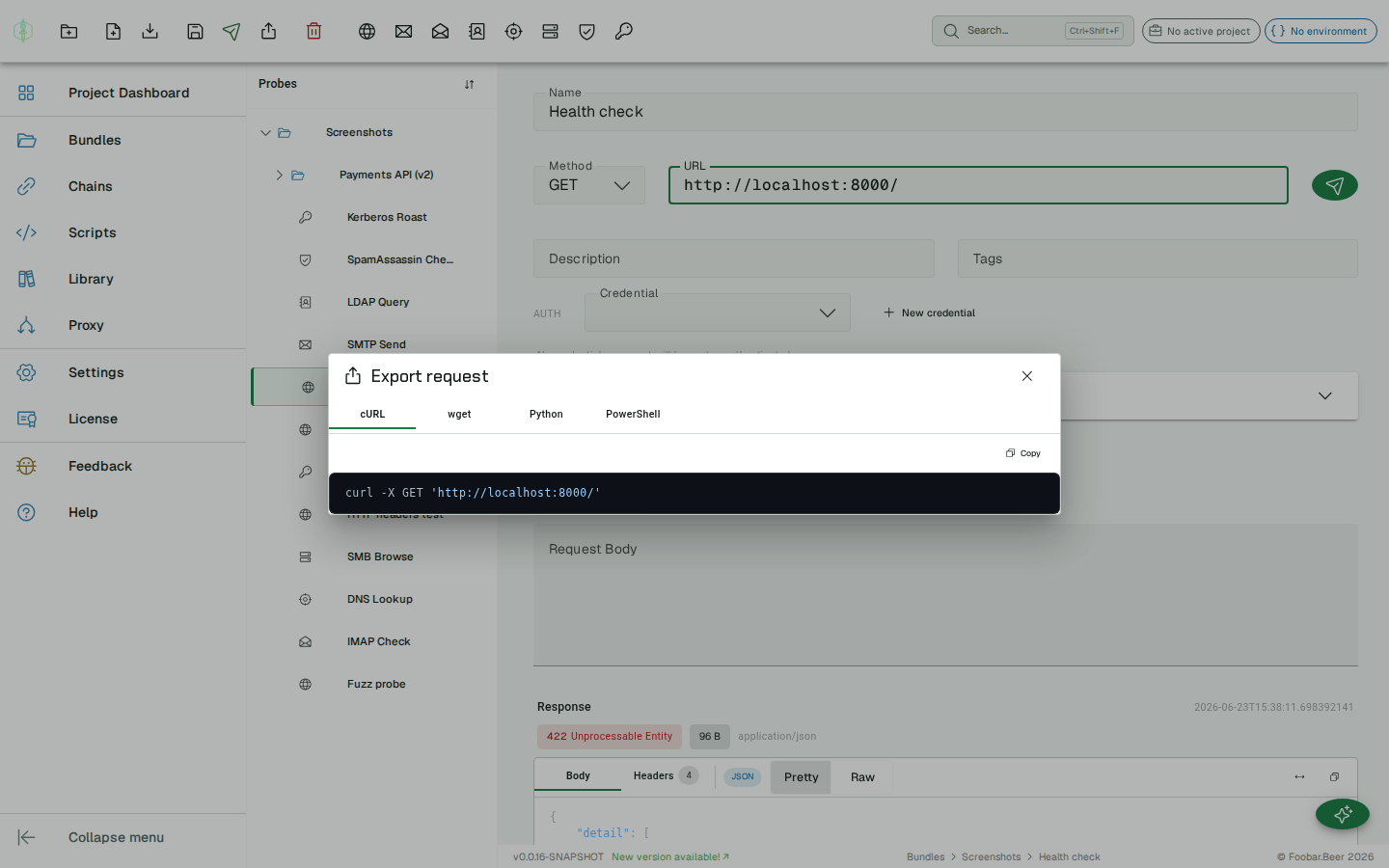
The export reflects the probe exactly as configured, including headers, body, and cookies, so you can reproduce the request outside VirtuProbe or paste it into a report.
Variable substitution
Section titled “Variable substitution”All fields support {{variable}} placeholders resolved from the active environment:
URL: https://{{host}}/api/usersHeader: Authorization: Bearer {{token}}Body: {"email": "{{email}}"}Response
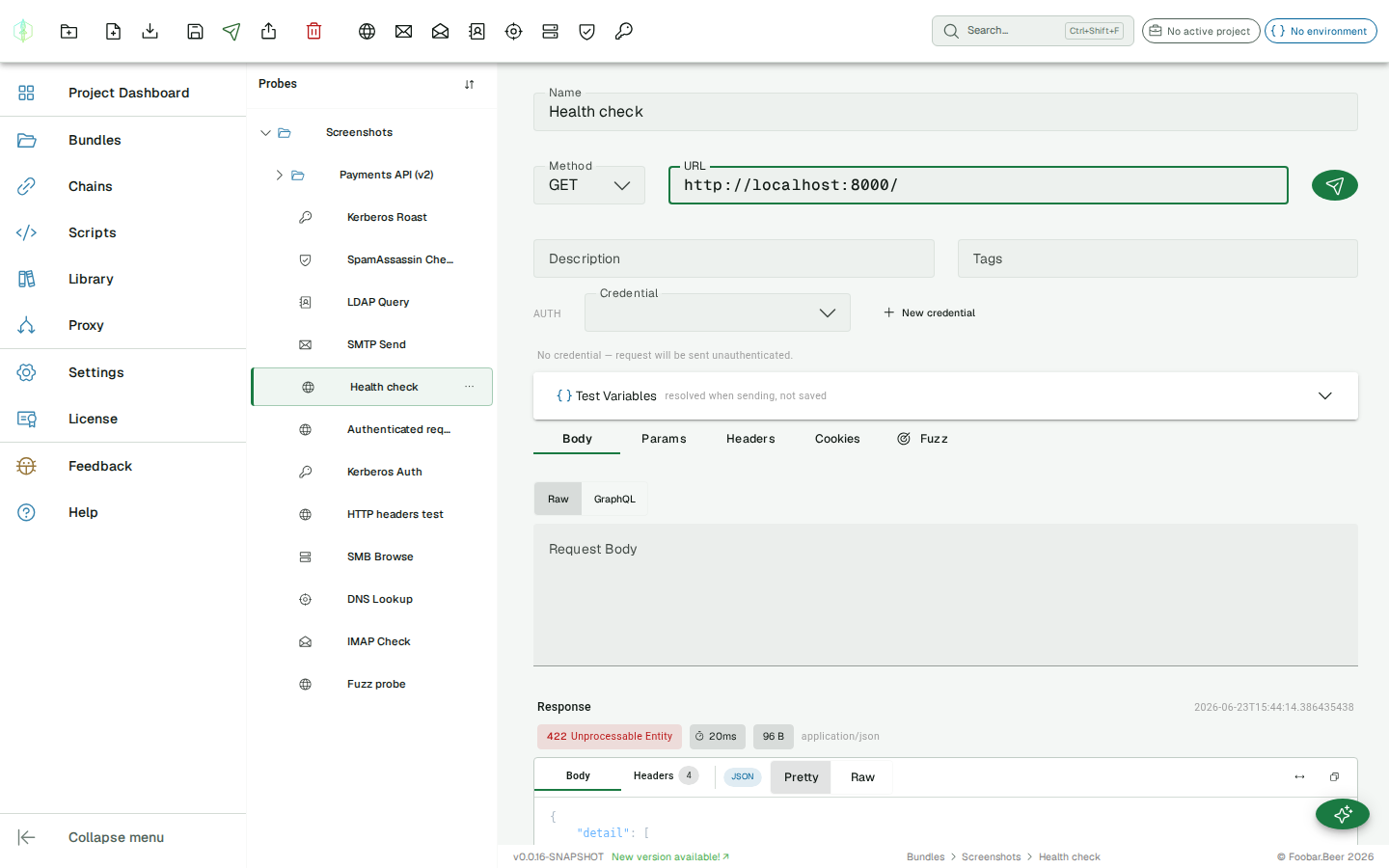
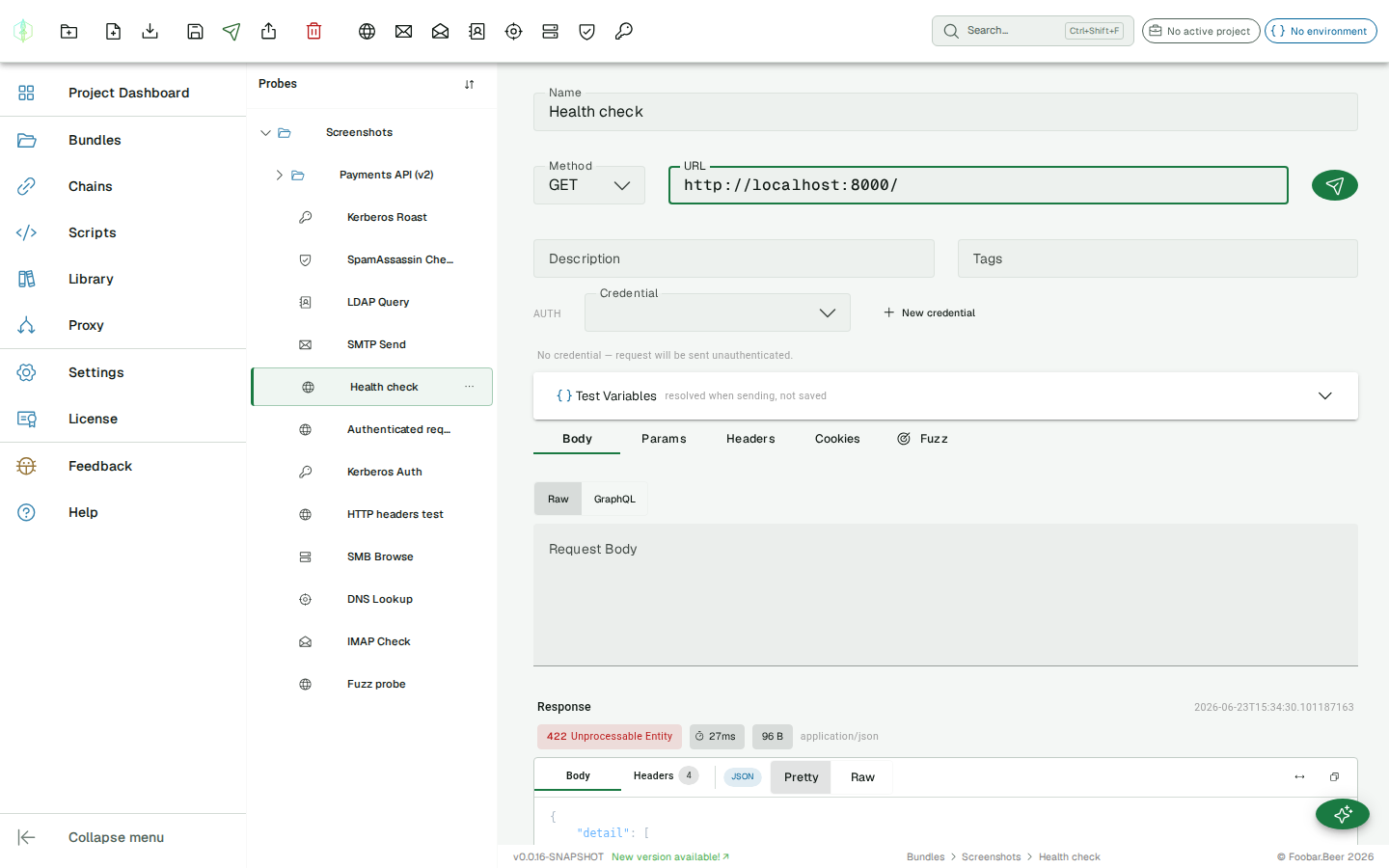
Section titled “Response”After sending a probe, the response panel appears below the request editor.
Status bar
Section titled “Status bar”The top of the response panel shows at a glance:
| Element | Description |
|---|---|
| Status chip | HTTP status code and status text (e.g. 200 OK), colored green (2xx), yellow (3xx) or red (4xx/5xx) |
| Timing | Round-trip time in milliseconds, measured from the moment Send is clicked |
| Size | Body size in bytes, KB or MB |
| Content-Type | The Content-Type header value from the response |
Body tab
Section titled “Body tab”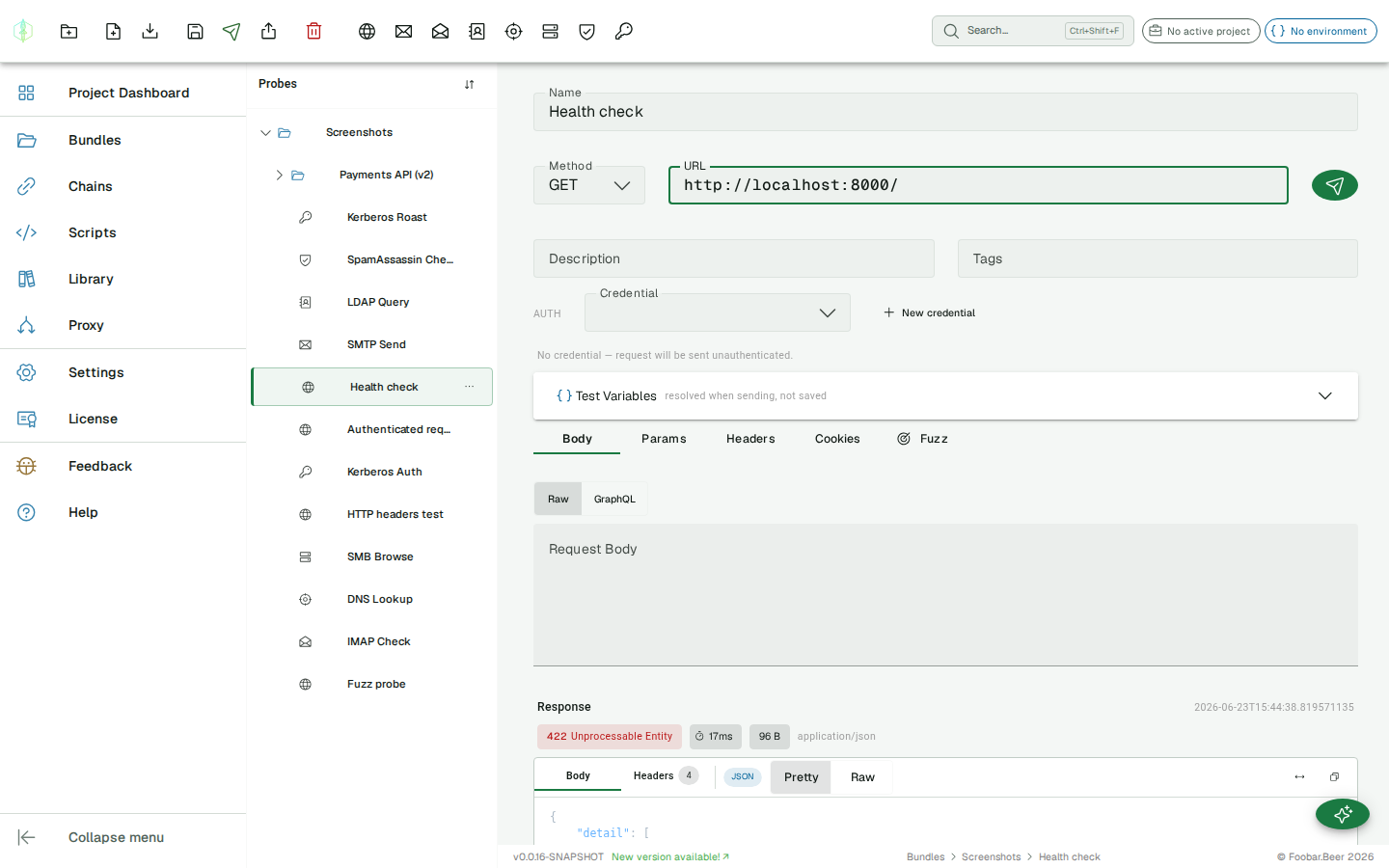
The Body tab has a toolbar with:
- Format badge: detected automatically (JSON, XML, HTML, PLAIN)
- Pretty / Raw / Preview toggle: Pretty formats and syntax-highlights the body; Raw shows the unformatted text; Preview renders HTML in a sandboxed frame (only shown for HTML responses)
- Word wrap button: toggles wrapping of long lines
- Copy button: copies the full body to the clipboard
Pretty mode formats JSON, XML, and HTML with proper indentation. The body area scrolls independently and never overflows the panel.
Large bodies
Section titled “Large bodies”Two different things bound a very large response, and the response panel says which one you are looking at.
The probe stops reading at 16 MB. Past that the rest of the body was never received, so nothing can show it later. The chip reads Response capped at 16.0 MB. VirtuProbe keeps counting past the cap, up to 64 MB, so the size it reports is the real one; beyond that it tells you the total is an estimate rather than a number it finished measuring.
The panel renders the first 512 KB. Above that the body is shown as a prefix and is not formatted, because pretty-printing runs on the main thread and at that size it would lock the window for seconds. The chip reads Showing 512.0 KB of 4.2 MB, Save to file writes the whole body out, and Render full body loads the rest into the viewer unformatted if you want to read it in place.
The two chips are independent. A body the probe capped is usually also too large to render, so you can see both at once, and Render full body is absent whenever the probe was the one that stopped, since those bytes do not exist to render.
Headers tab
Section titled “Headers tab”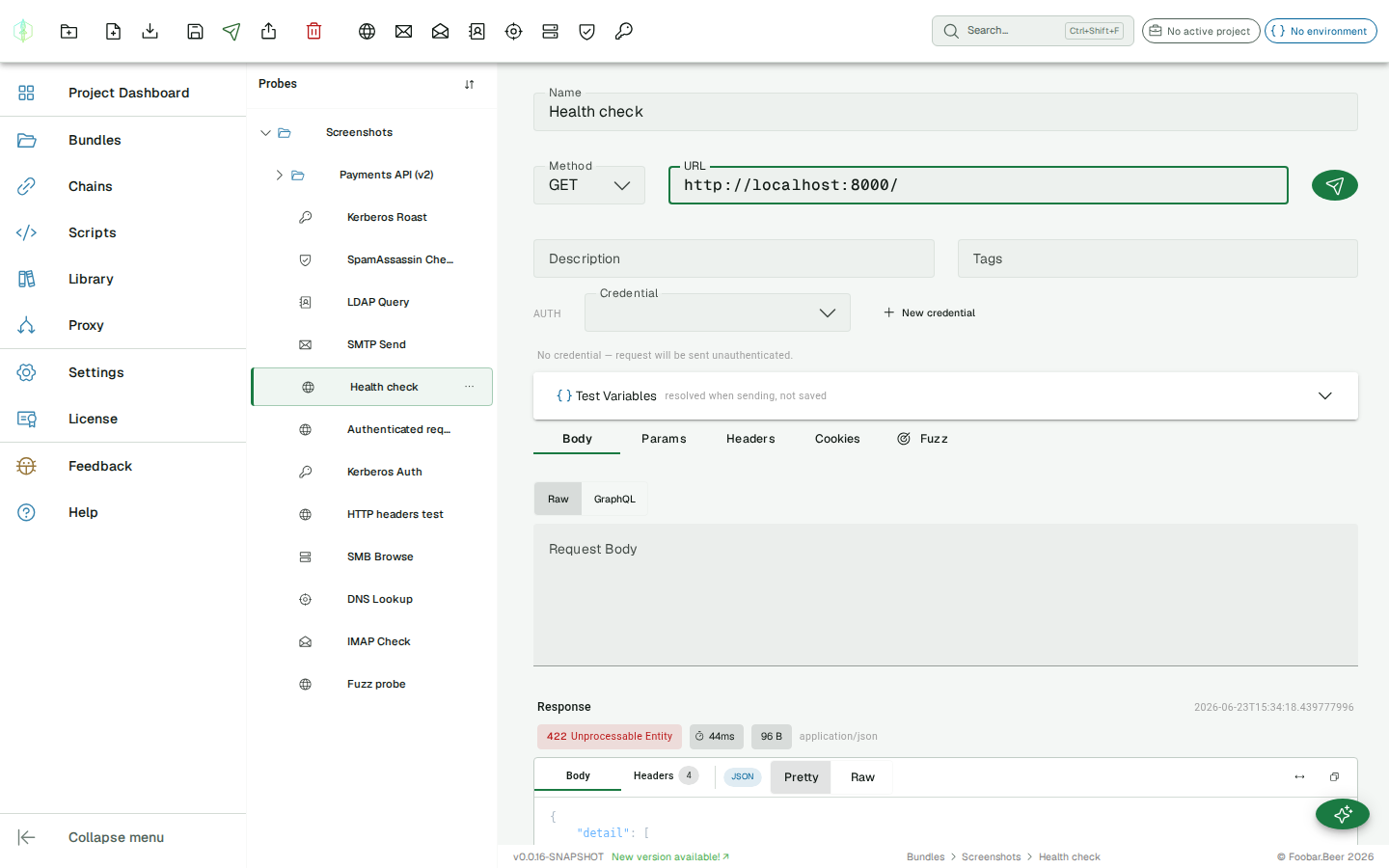
The Headers tab shows all response headers as a searchable key/value table. Use the filter field to find a specific header by name or value.
Assertions
Section titled “Assertions”Set an expected status code on the probe. If the actual response code differs, the history entry is marked as failed and highlighted with a warning indicator.
Authentication
Section titled “Authentication”The Auth row below the URL is a single Credential picker. Every authentication method is a credential, a reusable named profile whose secrets are stored separately from the probe (the probe only references a credential by id; passwords, tokens and hashes never live on the probe or in its history). Pick an existing credential or click New credential to create one.
Schemes
Section titled “Schemes”| Scheme | Notes |
|---|---|
| Basic | Username + password, sent as Authorization: Basic |
| Bearer | Static bearer token |
| API Key | Named key sent as a header, query parameter, or cookie |
| Digest | RFC 7616 challenge-response |
| OAuth2 | Client Credentials, Password, and Authorization Code grants (VirtuProbe fetches and caches the token) |
| NTLM | Windows challenge-response with username + password |
| Pass-the-Hash (PTH) | NTLM using a 32-character hex NT hash, no cleartext password |
| SPNEGO / Kerberos | Authorization: Negotiate ticket obtained from a KDC for HTTP/<host> |
| AWS SigV4 | AWS request signing |
| Scripted | A JavaScript or Groovy script computes the headers at send time |
Scope: global vs project
Section titled “Scope: global vs project”When creating a credential you choose its scope:
- This project: offered only inside the project you’re working in. New credentials default to this scope when a project is active.
- Global: offered everywhere.
The credential picker shows the active project’s credentials plus all global ones.
Project default + resolution order
Section titled “Project default + resolution order”A project can nominate a default credential (Project Dashboard → Default credential). At send time the effective credential is resolved most-specific first:
chain step override → probe credential → project defaultSo a probe with no credential of its own falls back to the project default; a chain step can override both. This applies to standalone sends, chains, and scripts.
How NTLM/PTH work
Section titled “How NTLM/PTH work”For NTLM and PTH, VirtuProbe performs the full 3-message handshake on a single kept-alive socket: Negotiate → server Challenge → Authenticate (with the real request). The response you see is the final authenticated request.
Raw mode
Section titled “Raw mode”Most requests are best built with the structured fields above. Some tests, though, need bytes the
structured editor can’t express: a deliberately malformed request line, duplicate headers,
conflicting Content-Length values, bare-LF line endings, or framing that a conventional HTTP
library would silently “correct”. Because VirtuProbe’s HTTP client is written by hand against the
protocol, it sends exactly the bytes you give it.
Open the Raw tab and toggle Send as raw request. The editor seeds from your structured request, so you start from a working baseline and edit the literal request that gets sent.
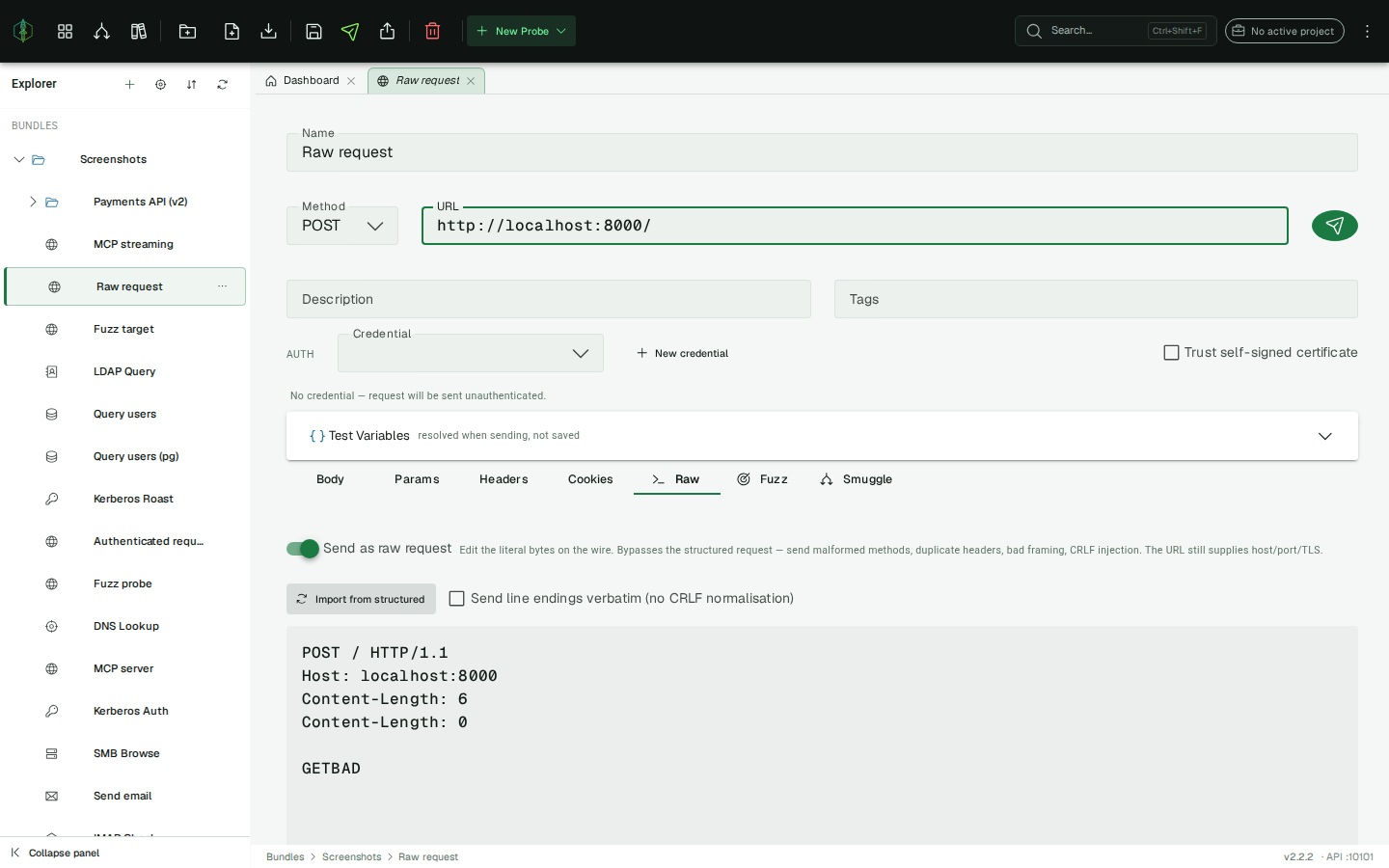
- The URL field still applies. It supplies the host, port and TLS for the connection, and the request line and headers come from the editor.
- Line breaks are sent as CRLF (RFC 7230) by default. Enable Send line endings verbatim to send exactly what you type, which is what an LF-only test needs.
{{variables}}and the§payload§fuzzing marker are resolved in the raw request too, so a hand-crafted request is fully fuzzable.- Import from structured re-renders the current method, URL, headers and body into the editor at any time.
Transport outcomes
Section titled “Transport outcomes”When an exchange fails below the HTTP layer, the response panel shows a transport outcome chip
instead of a status code: RST (connection reset), TIMEOUT, EOF (the peer closed early),
MALFORMED_RESPONSE, or PARTIAL. After a crafted request, how a connection fails is often the
signal you are looking for, so VirtuProbe surfaces it rather than collapsing it into a generic
error.
Raw mode is available on the Security tier and above.
Fuzzing
Section titled “Fuzzing”The Fuzz tab turns any HTTP probe into a payload injector and a malformed-request generator. It offers three modes.
Substitution
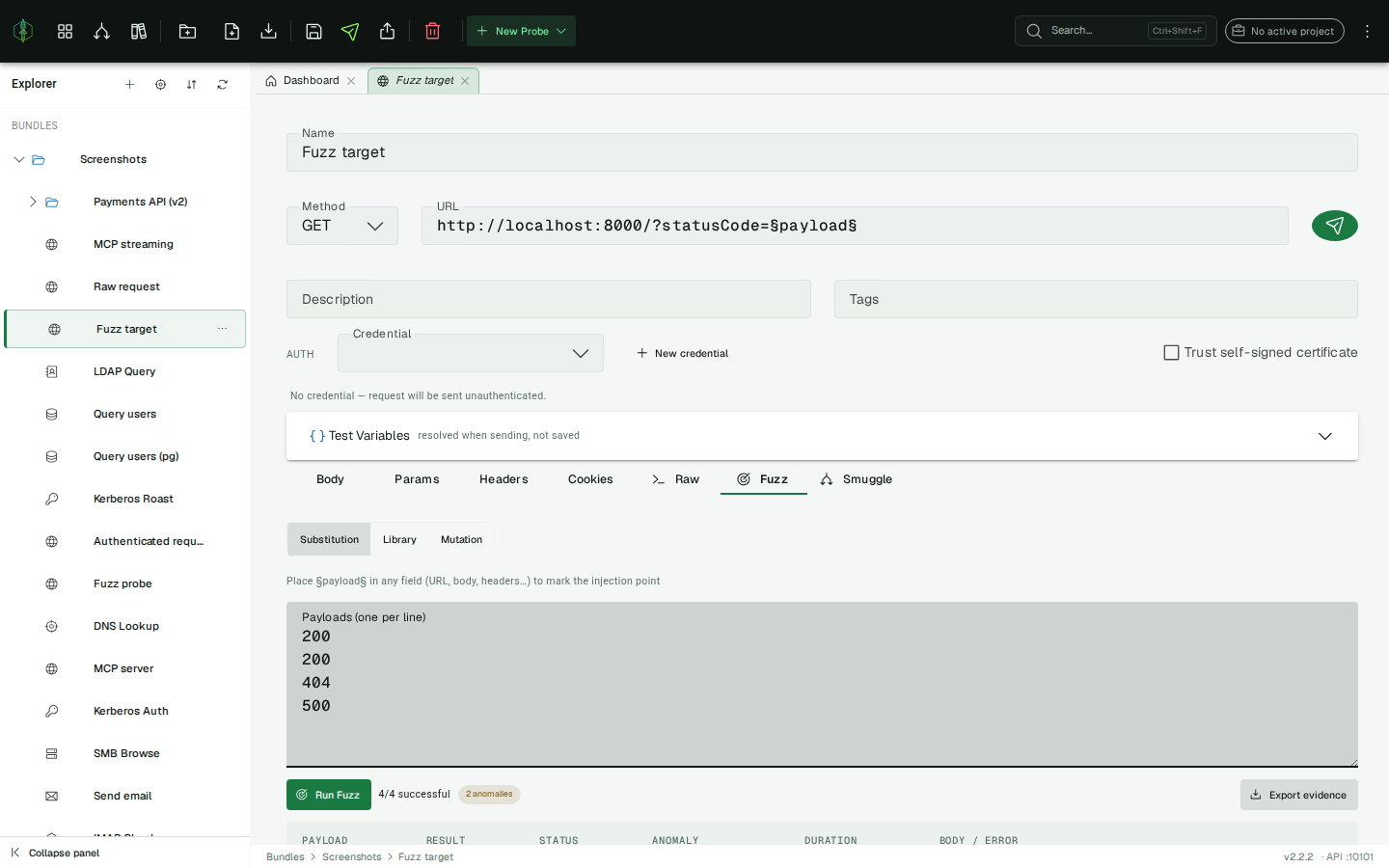
Section titled “Substitution”Place the §payload§ marker anywhere in the probe configuration: the URL, the body, a header value, a
query parameter, a cookie value.
URL: https://example.com/user/§payload§Body: {"username": "§payload§", "password": "test"}Header: X-Custom: §payload§Multiple occurrences of §payload§ in the same probe are all substituted with the same payload per
run. Enter payloads in the textarea, one per line, and click Run Fuzz. The probe is sent once
per payload.
Library
Section titled “Library”Instead of typing payloads, pick a curated payload list for CRLF / header injection, path
traversal, SQL injection or cross-site scripting, and run it through the §payload§ marker just
like Substitution. (Mark an injection point first.)
Mutation
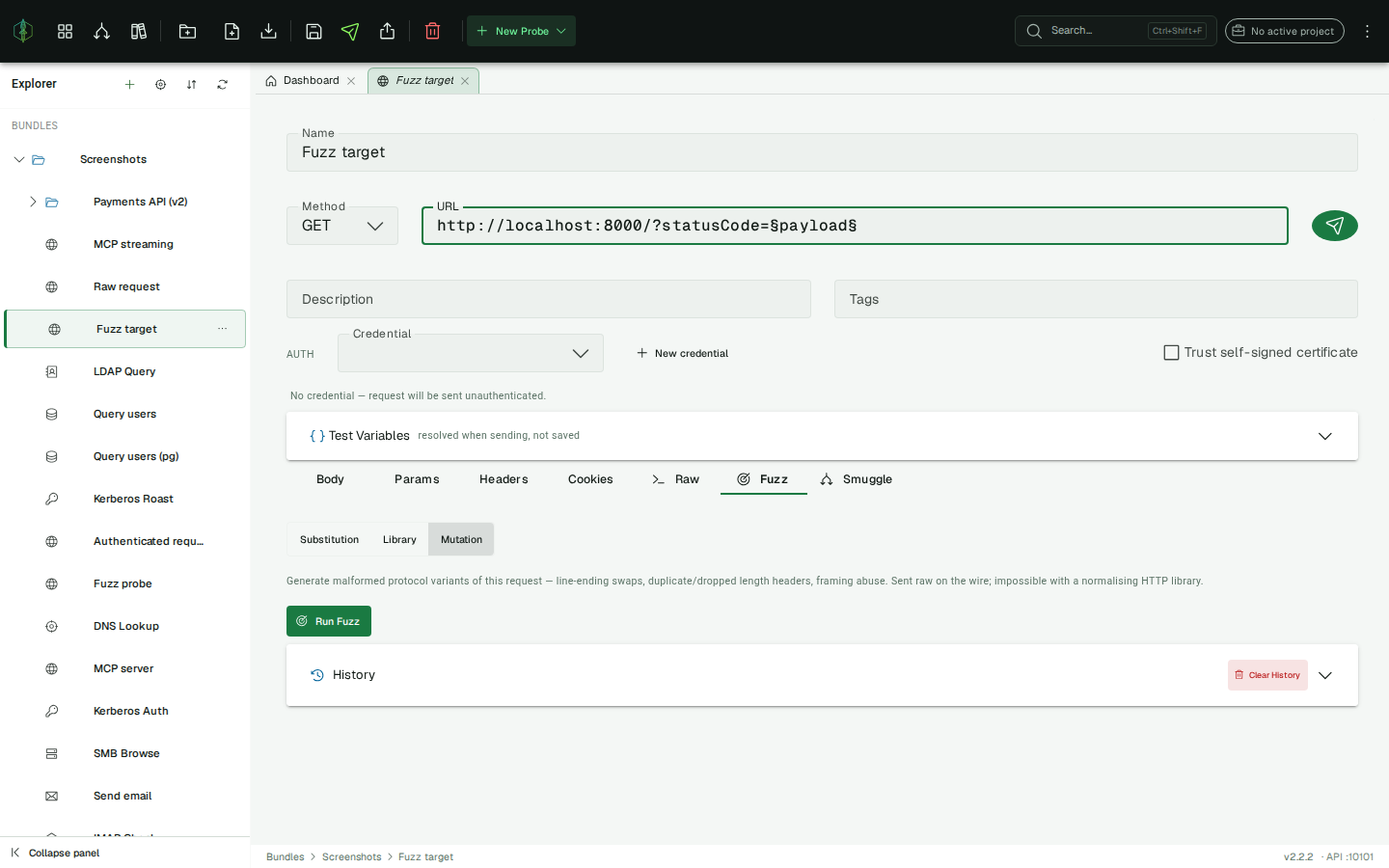
Section titled “Mutation”Mutation generates structurally malformed variants of the request itself: line-ending swaps, a
duplicated or dropped Content-Length, a Content-Length + Transfer-Encoding conflict, a bare-LF
header line, a space before a header colon. Each variant is sent through Raw
mode, so these are requests a conventional client cannot produce. No marker is needed,
because the engine builds the variants from your request.
Results
Section titled “Results”Every mode streams results into a table:
| Column | Description |
|---|---|
| Payload | The payload value, or the mutator name in Mutation mode |
| Result | OK (green) / FAIL (red) |
| Status | HTTP status code, plus a transport-outcome chip (RST / TIMEOUT / …) when the exchange failed below HTTP |
| Anomaly | A flag when this result stands out from the run’s baseline (see below) |
| Duration | Round-trip time in milliseconds |
| Body / Error | First 500 characters of the response body, or the error message |
Anomaly detection
Section titled “Anomaly detection”VirtuProbe derives a baseline from the run itself, the most common status among the responses and
their typical body size, then flags the outliers: a transport failure (transport:RST), a differing
status (status:500), or a notable change in response length (length:…). Anomalous rows are
highlighted and the summary shows how many were flagged, which is where to start reading.
Run history and evidence
Section titled “Run history and evidence”Each fuzz run is saved with the probe (the most recent 20). Open Run history to reload an earlier run, and Export evidence to download the whole run as a JSON file for your report, with every case, status, transport outcome and anomaly in it. No re-run is required.
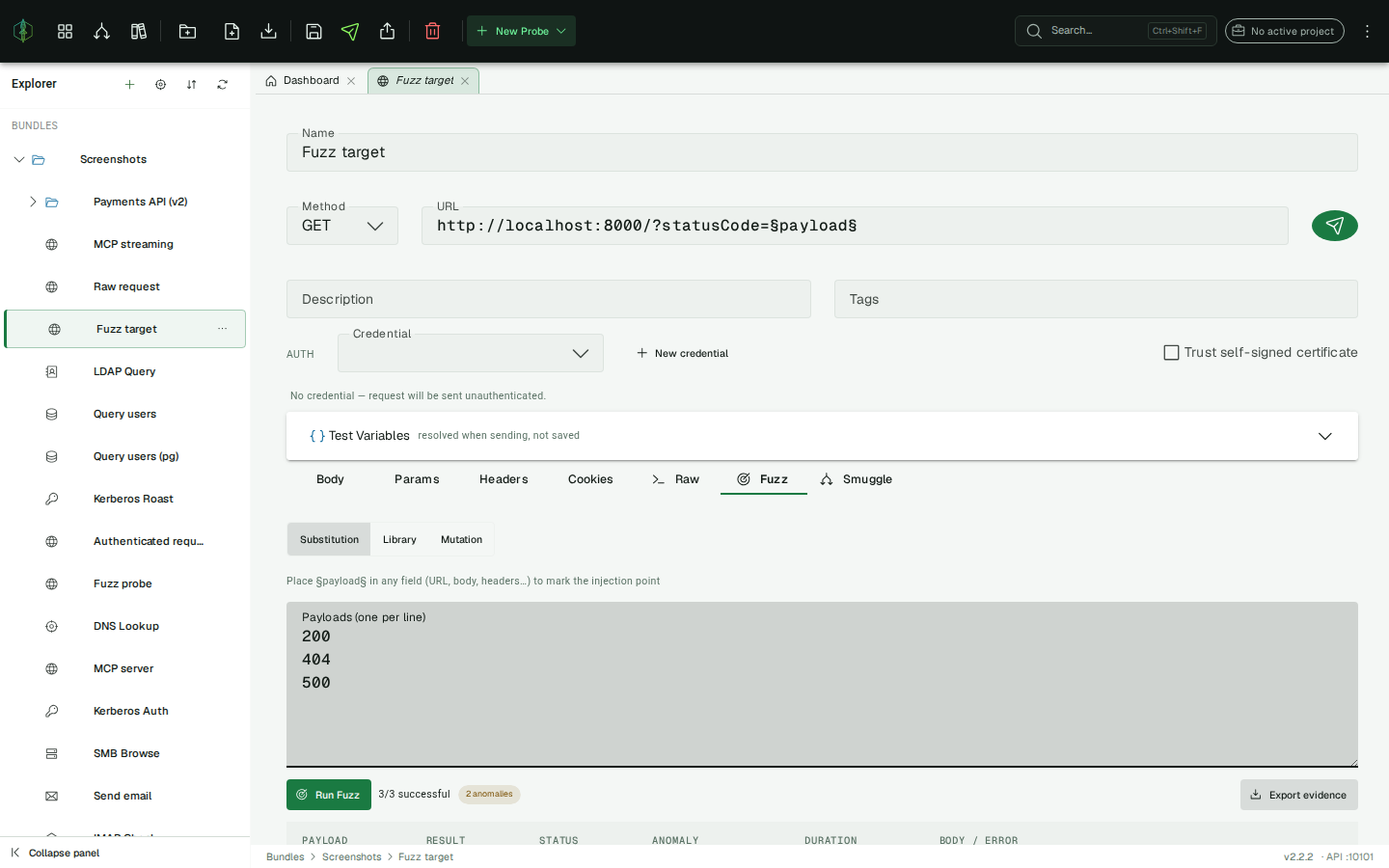
- Fuzz cases go out from the same place your probes do, so the same network path and proxy settings apply.
- Fuzzing is available on the Security tier and above.
Request smuggling / desync detection
Section titled “Request smuggling / desync detection”The Smuggle tab runs a focused, one-click check for HTTP request-smuggling (request desync), the
class of bug where a front-end and a back-end disagree about where one request ends and the next
begins, usually because they handle Content-Length and Transfer-Encoding differently. VirtuProbe
probes the two classic variants:
- CL.TE: the front-end uses
Content-Length, the back-end usesTransfer-Encoding: chunked. - TE.CL: the reverse: the front-end uses
Transfer-Encoding, the back-end usesContent-Length.
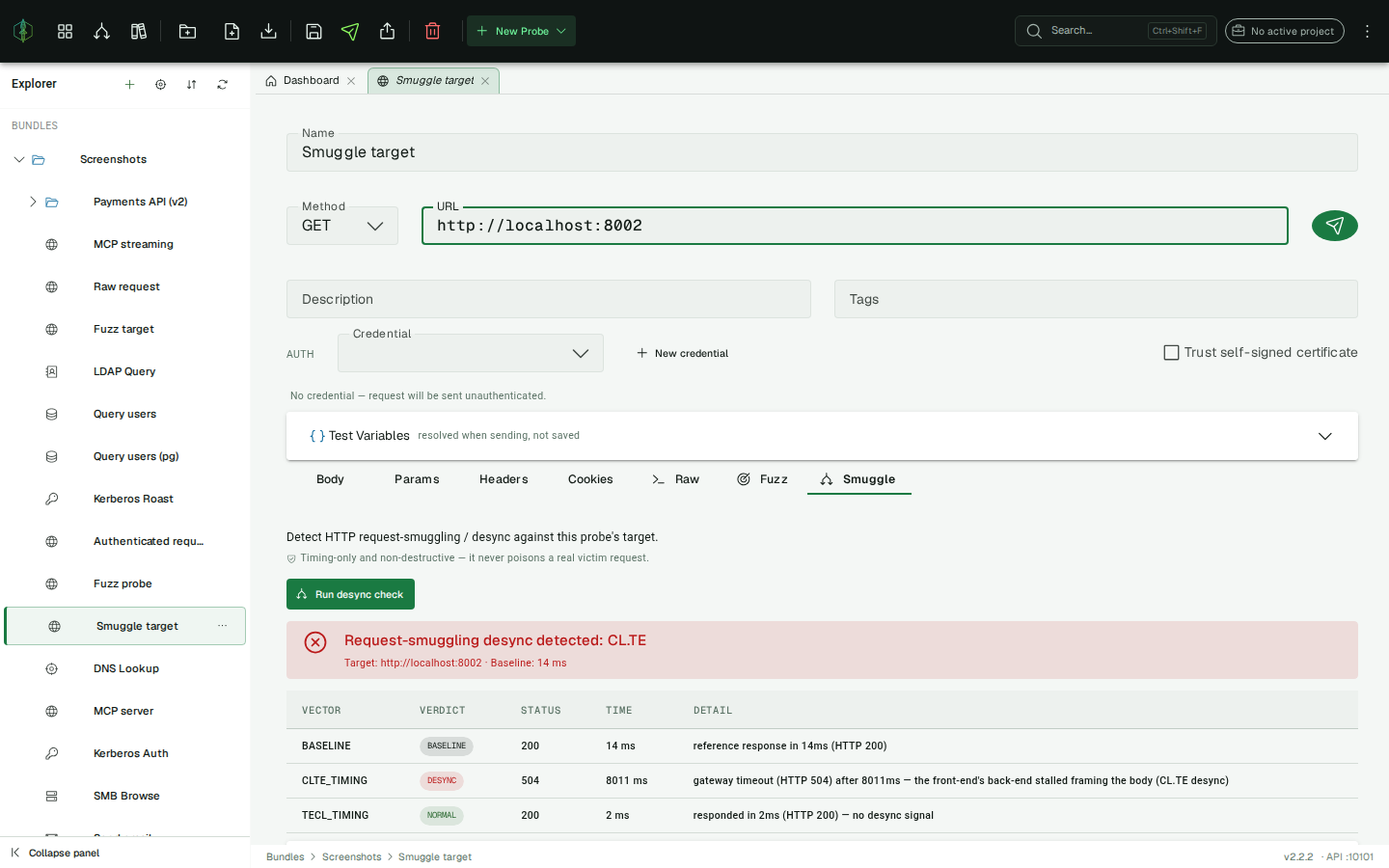
Running a check
Section titled “Running a check”Open an HTTP probe pointed at the target, open the Smuggle tab, and click Run desync check. VirtuProbe sends a small set of crafted requests through Raw mode and compares how each one is framed against a clean baseline request to the same target.
The check is non-destructive: it measures timing and framing only, whether a crafted request stalls or completes, and never injects a payload into another user’s request or poisons a shared connection. It’s safe to run against a target you’re authorized to test.
Reading the verdict
Section titled “Reading the verdict”The result is a verdict banner plus a per-vector table (baseline, CL.TE, TE.CL). Each vector carries one verdict:
| Verdict | Meaning |
|---|---|
| BASELINE | The reference request: a normal, well-formed request used for comparison |
| NORMAL | The vector behaved like the baseline, so no desync on this variant |
| DESYNC | The vector desynced the connection (typically a stall/timeout where the baseline returned promptly), which is a likely request-smuggling vulnerability |
| INCONCLUSIVE | The exchange ended in a way that can’t be cleanly attributed (e.g. the front-end stalled on its own body read); not counted as a confirmed desync |
| ERROR | The vector could not be run (e.g. the target was unreachable) |
If any vector comes back DESYNC, the banner names which class was detected (CL.TE, TE.CL, or both) and the summary reads “Request-smuggling desync detected”. When every vector is NORMAL, the summary reads “No request-smuggling desync detected”, meaning the target framed all variants consistently.
A DESYNC verdict is a strong lead, not a finished exploit: confirm it manually before reporting, and only test systems you are authorized to test.
Request-smuggling detection is available on the Security tier and above (the fuzzing feature). On
lower tiers the Smuggle tab is hidden.
History
Section titled “History”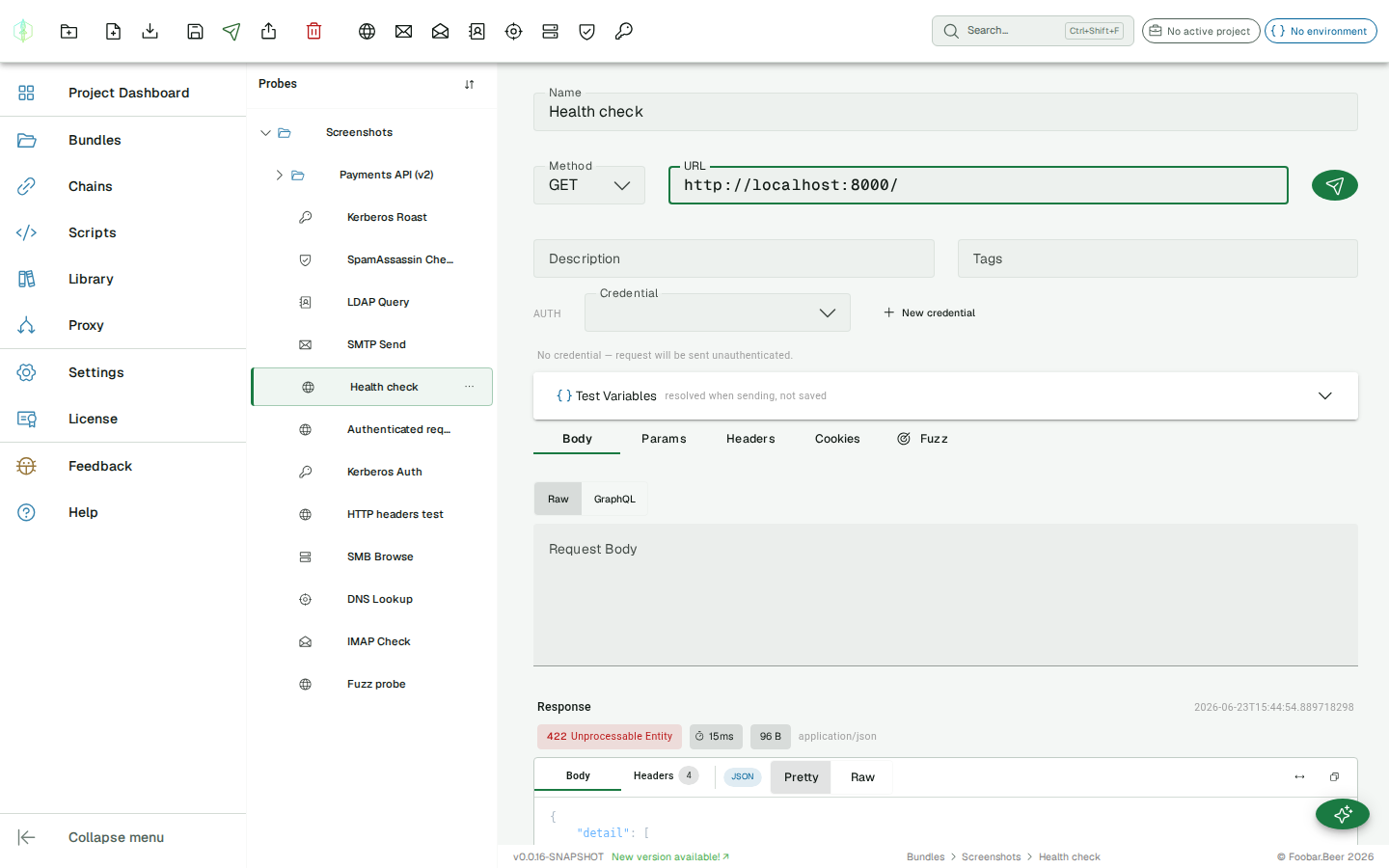
Each send is recorded. The history panel below the response panel shows status codes and timestamps for quick scanning. Click any entry to load that response into the response panel.
Response diff
Section titled “Response diff”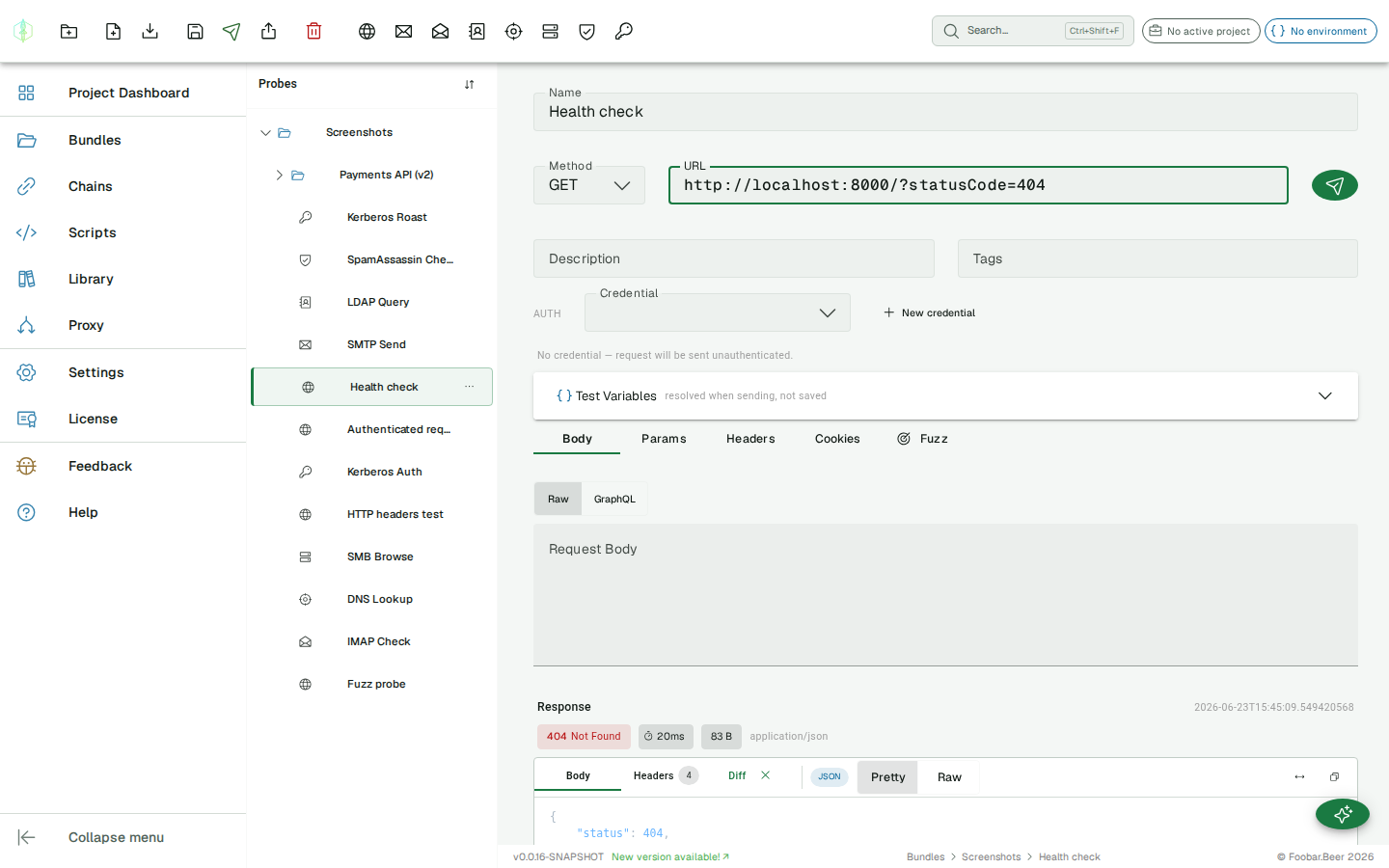
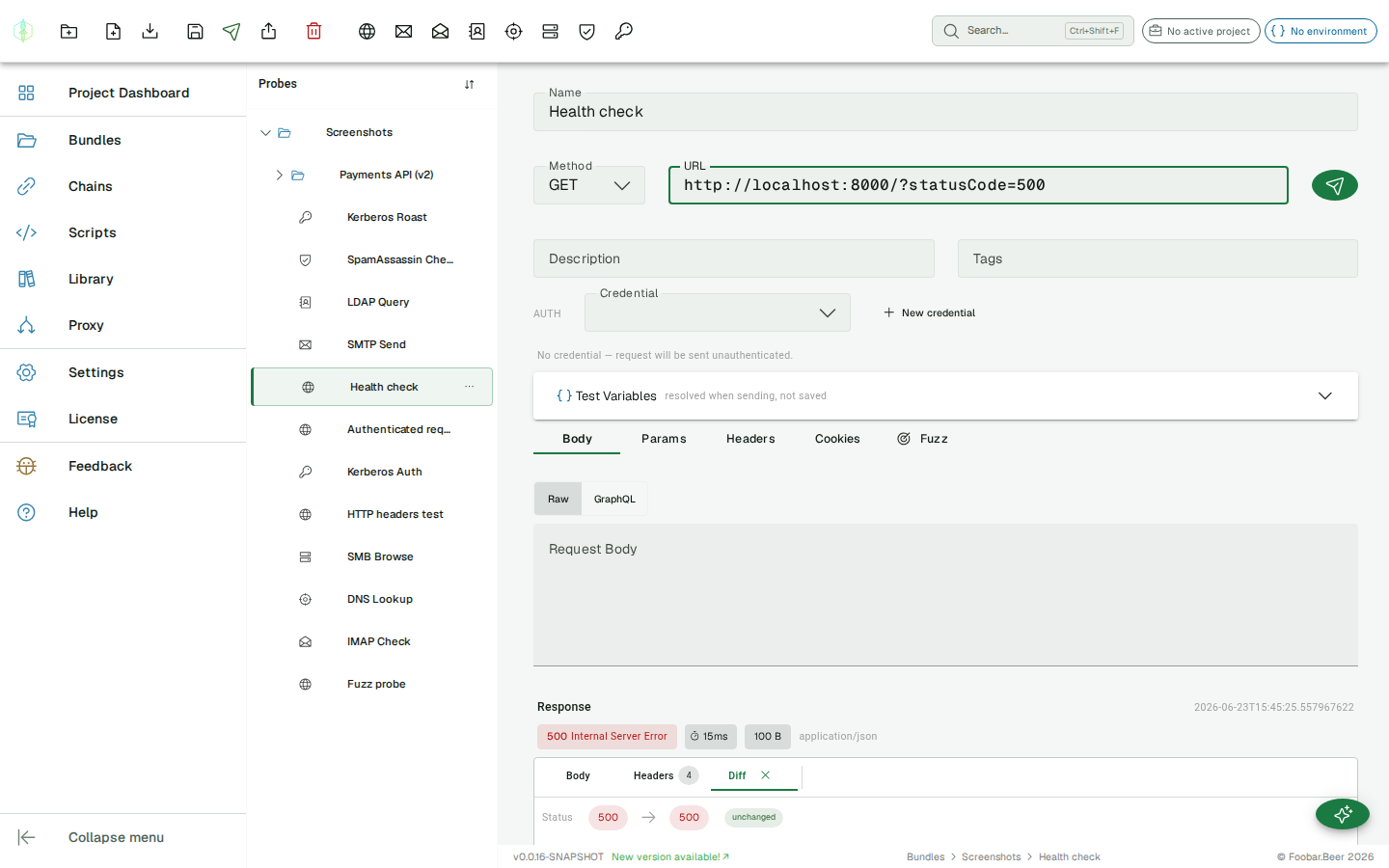
When a response is loaded and history contains at least one other entry, a Compare button appears on each history row. Clicking it opens a Diff tab in the response card showing a comparison between the current response and the selected history entry:
Status comparison
Section titled “Status comparison”The two status codes are shown side by side. If they match, an unchanged chip appears.
Changed headers
Section titled “Changed headers”Only headers that differ between the two responses are shown, with the old value on the left and the new value on the right. If all headers are identical, the section shows No header changes.
Body diff
Section titled “Body diff”A line-level diff using the LCS algorithm. Removed lines are shown in red, added lines in green, unchanged lines in gray. The diff is computed client-side and capped at 500 lines to keep performance predictable.
Click the × on the Diff tab to dismiss the comparison and return to the normal Body/Headers view.