
Proxy
VirtuProbe includes a built-in MITM proxy that sits between your client and the target server. A DevTools-style UI lets you inspect every exchange in real time, including raw bodies, decompressed payloads and binary frames.
The proxy understands more than HTTP. It recognizes the protocol on each connection that passes through it and decodes it, so the capture feed labels an exchange as SMTP, DNS or MySQL rather than raw bytes. From a captured exchange you can draft a mock in one click. Everything reaches the proxy the same way, through a SOCKS5 tunnel, and HTTP is recognized and acted on behind it like any other protocol.
Starting the proxy
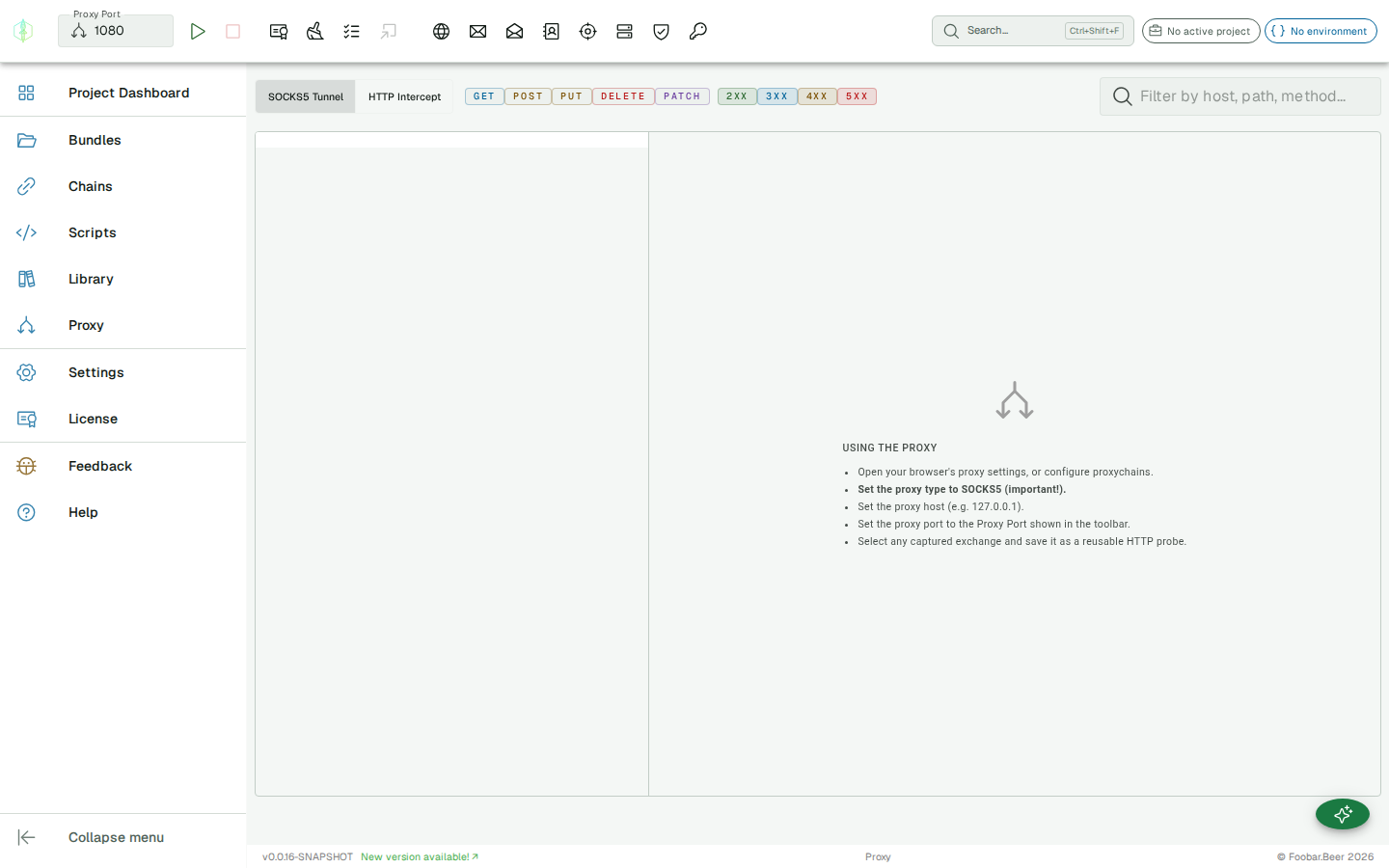
Section titled “Starting the proxy”Set the Port the proxy should listen on in the toolbar, then click Start. Point your client at localhost on that port as a SOCKS5 proxy.
| Setting | Default |
|---|---|
| Host | localhost |
| Port | 1080 |
Any TCP client works: a mail client, a DNS resolver, a database driver or a browser. Route its connection through the tunnel and the proxy decodes whichever protocol it finds.
Protocols the proxy decodes
Section titled “Protocols the proxy decodes”The proxy recognizes and decodes these protocols on the connections that flow through it:
HTTP, SMTP, IMAP, DNS over TCP, FTP, MySQL, PostgreSQL, SQL Server, MongoDB, Redis, SMB, Kerberos and STOMP (ActiveMQ).
Each exchange is tagged with its protocol in the capture feed. The text protocols read as text; the binary ones render as a hex view next to a decoded summary. A connection the proxy does not recognize is relayed unchanged and shown as raw bytes, so switching the proxy on never changes what your client sees.
Inspecting exchanges
Section titled “Inspecting exchanges”Each exchange appears in the list as it flows through the proxy. Click an entry to inspect it.
The detail panel shows:
- Protocol: the protocol the proxy recognized, with a decoded summary and a hex view for the binary protocols
- Request: raw bytes sent by the client
- Response: raw bytes returned by the server
- Direction and timestamp for each chunk
Body decompression
Section titled “Body decompression”Compressed response bodies (gzip, deflate, Brotli) can be decompressed. Click Decompress on an exchange to see the readable payload. All three encodings are supported, including Brotli which browsers cannot decompress natively via the standard API.
SSL/TLS traffic
Section titled “SSL/TLS traffic”The proxy can handle SSL connections. For HTTPS interception, configure your client to trust the proxy’s certificate.
HTTP through the tunnel
Section titled “HTTP through the tunnel”The proxy terminates and parses each HTTP/1.1 request, with HTTPS handled by an on-the-fly leaf certificate signed by the proxy CA. Because it understands whole requests and responses, it can act on them with interception rules.
With no rules defined, every request is forwarded to the real target and still feeds the capture view, so you can switch the proxy on without changing what your client sees.
Interception rules (mocking & service virtualization)
Section titled “Interception rules (mocking & service virtualization)”Interception rules turn the proxy into a service virtualization layer: match live requests and mock, rewrite, delay, or script their responses. Manage them from the Interception Rules editor in the proxy view.
Rules are organized into rule sets. Within a set, rules are evaluated top to bottom and the first match wins, so order matters. Each rule has a match and an action.
Matching
Section titled “Matching”Every match field is optional; a blank field matches anything. A rule fires when all of its filled-in conditions match:
| Field | Matches on |
|---|---|
| Method | HTTP method (GET, POST, …) |
| Host pattern | Request host |
| Path pattern | Request path, supporting {segment} placeholders and * wildcards |
| Header name / Header value contains | A request header and (optionally) a substring of its value |
| Body contains | A substring of the request body |
Actions
Section titled “Actions”| Action | What it does |
|---|---|
| Mock | Return a synthetic response you define, with its own status, reason, Content-Type, headers and body, without the request ever reaching the real server. Stand in for a service that isn’t built yet. |
| Forward | Pass the request through to the real target unchanged (the default behavior when no rule matches). |
| Rewrite | Forward to the target, but apply find/replace operations to the live request and/or response, on headers or body, with optional regular expressions. |
| Fault | Forward to the target, then inject a fault into the genuine response, an error status or added latency, to exercise how your client handles failure. |
| Script | Run a JavaScript or Groovy script with the request bound (method, path, body, headers, host) and a mutable response (status, reason, headers, body). Mutate the response or return a map, which is how you build a dynamic mock that reacts to the request. |
A Latency (ms) delay can be added to any action, applied before the response is written, which is how you simulate a slow dependency.
Rule sets are saved alongside the rest of your workspace, so your mocks and virtual services persist between sessions.
Add a mock from a captured exchange
Section titled “Add a mock from a captured exchange”You do not have to write a mock rule from scratch. Select a captured exchange and click Add Mock. VirtuProbe drafts a matching mock rule from it, pre-filled and tagged with the protocol it captured, and hands it to you to review before you save it into a rule set.
Add Mock is available for the protocols VirtuProbe can stand in for: HTTP, SMTP, IMAP, DNS, Redis and the database protocols (MySQL, PostgreSQL, SQL Server, MongoDB). A Redis draft answers the captured command with the reply the server actually sent, so you start from real behavior and edit from there. For the other database exchanges the draft covers the login only. It returns a canned authentication error rather than a synthesized result set, which is enough to test how your client handles a database that turns it away. FTP and STOMP exchanges carry no Add Mock. SMB and Kerberos are observe only in the proxy, so they carry none either: one captured binary session is not enough to stand in for a server.