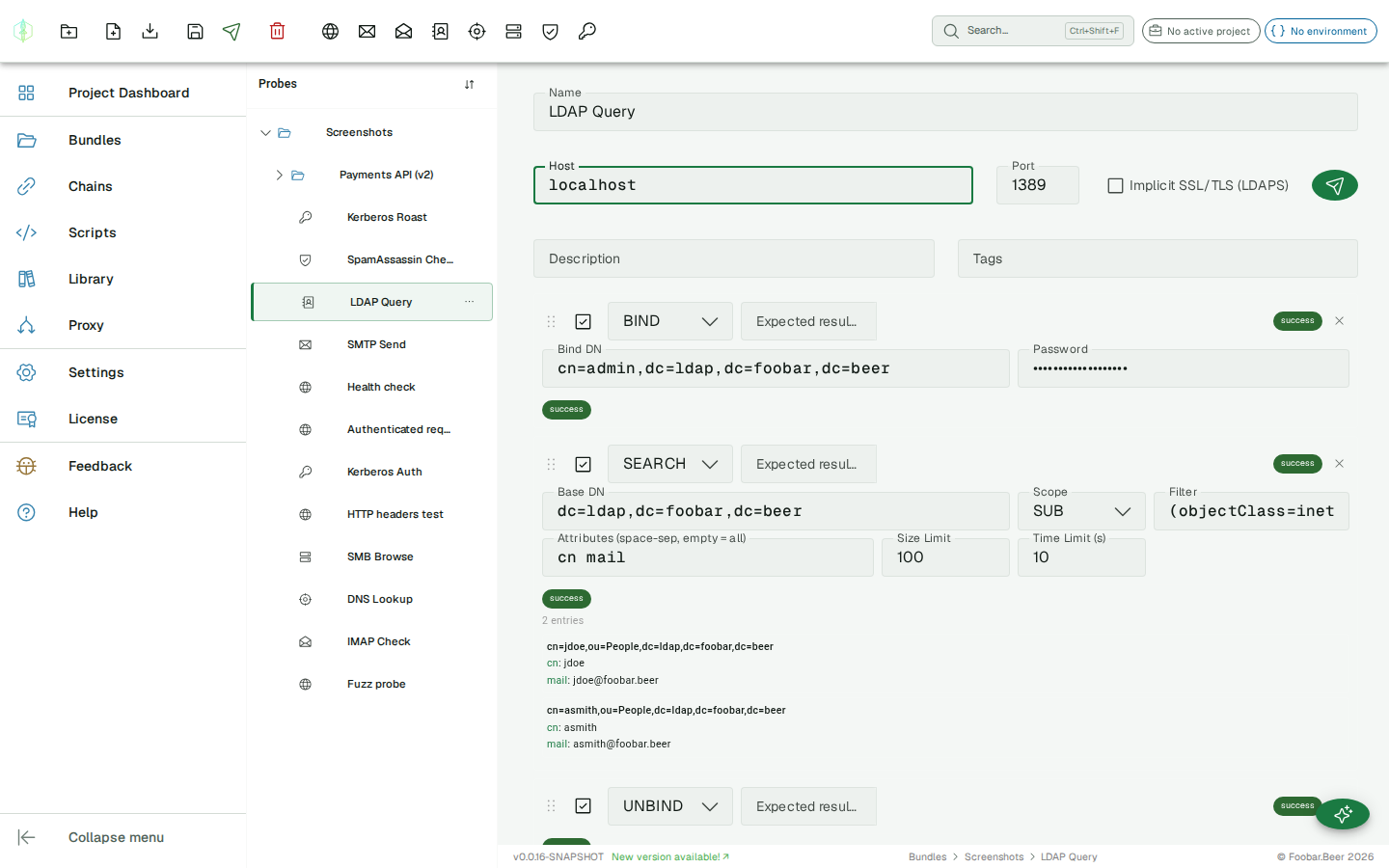
LDAP probe
The LDAP probe has two modes: an Action form for the two everyday tasks, and an Advanced operation sequence for full control. Switch with the Action / Advanced toggle above the editor; new probes open in Action mode. VirtuProbe implements the LDAP protocol from scratch (BER encoding, RFC 4511). No third-party LDAP library is used, which gives full control for testing and fuzzing.
Action Mode
Section titled “Action Mode”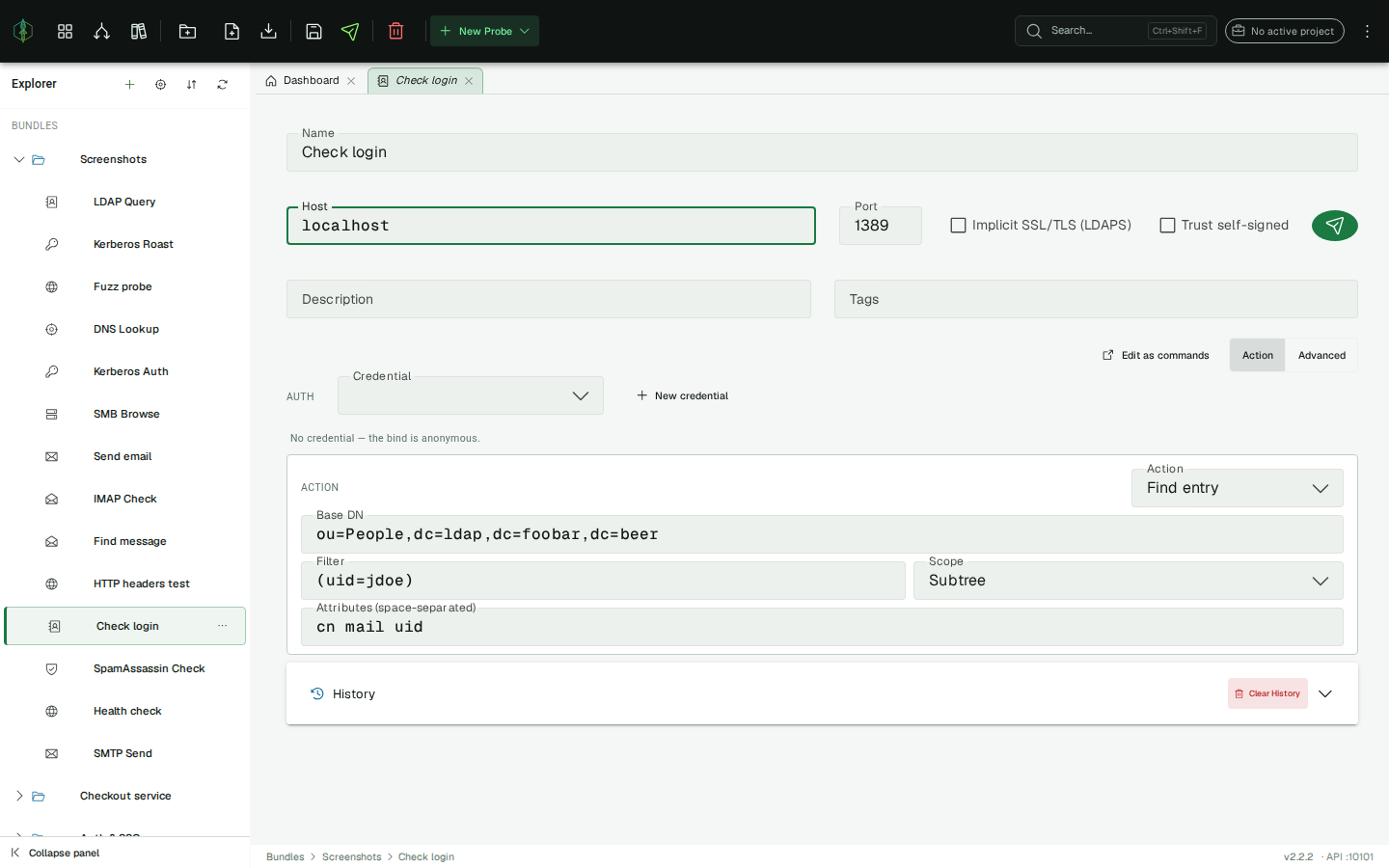
Pick the action from the selector; both bind with a credential from the credential store, where the credential’s username field holds the bind DN and the password never touches the probe.
Check login
Section titled “Check login”Verify that a DN + password authenticates. VirtuProbe binds with the selected credential; the probe succeeds iff the bind returns result code 0. An invalidCredentials (49) result means the login is invalid, which is a clean, expected failure. Useful for validating a service account or a user’s credentials.
Find entry
Section titled “Find entry”Search a base DN for entries. Optionally bind first with a service-account credential (or leave Auth empty for an anonymous search), then:
| Field | Description |
|---|---|
| Base DN | Search base, e.g. ou=People,dc=example,dc=com |
| Filter | RFC 4515 filter, e.g. (uid=jdoe) (blank → (objectClass=*)) |
| Scope | Base, One level, or Subtree |
| Attributes | Space-separated attribute names (blank → all) |
The probe succeeds iff the search returns at least one entry; the matched entries are listed in the read-only conversation. The LDAP_MATCH_COUNT extractor exposes the entry count for existence checks in a chain (assert >= 1).
{{variables}} are supported in the base DN and filter. Edit as commands reconstructs the BIND + SEARCH operations and switches to Advanced.
Advanced Mode: operation sequence
Section titled “Advanced Mode: operation sequence”The LDAP probe sends a sequence of LDAP operations to a directory server, each configured individually.
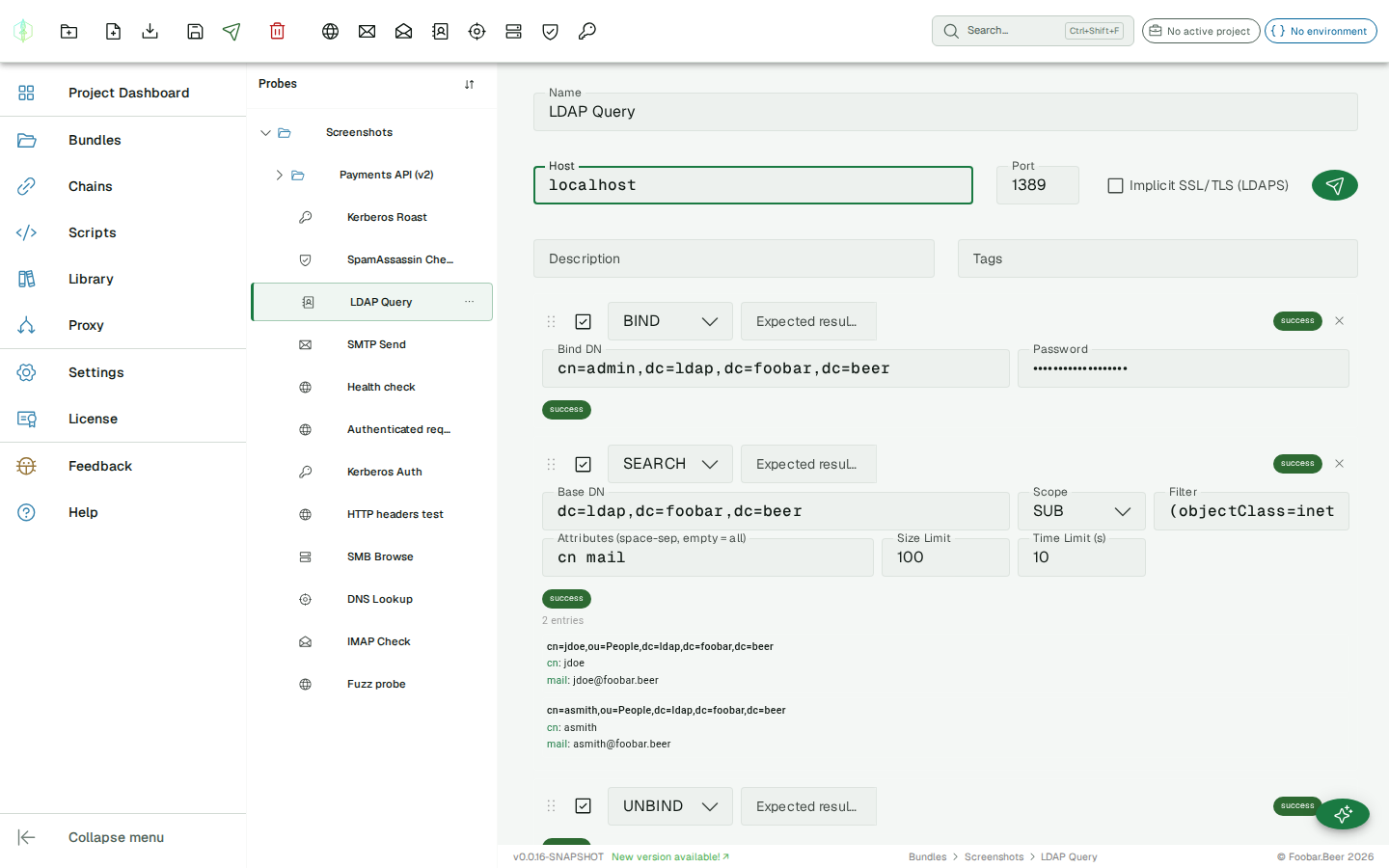
Connection settings
Section titled “Connection settings”| Field | Description |
|---|---|
| Host | LDAP server hostname or IP |
| Port | Server port (common: 389, 636) |
| LDAPS | Connect with SSL (port 636) |
| Trust self-signed | Skip certificate validation for a self-signed or private-CA certificate. Off by default; use only for hosts you trust. |
Operations
Section titled “Operations”| Operation | Description |
|---|---|
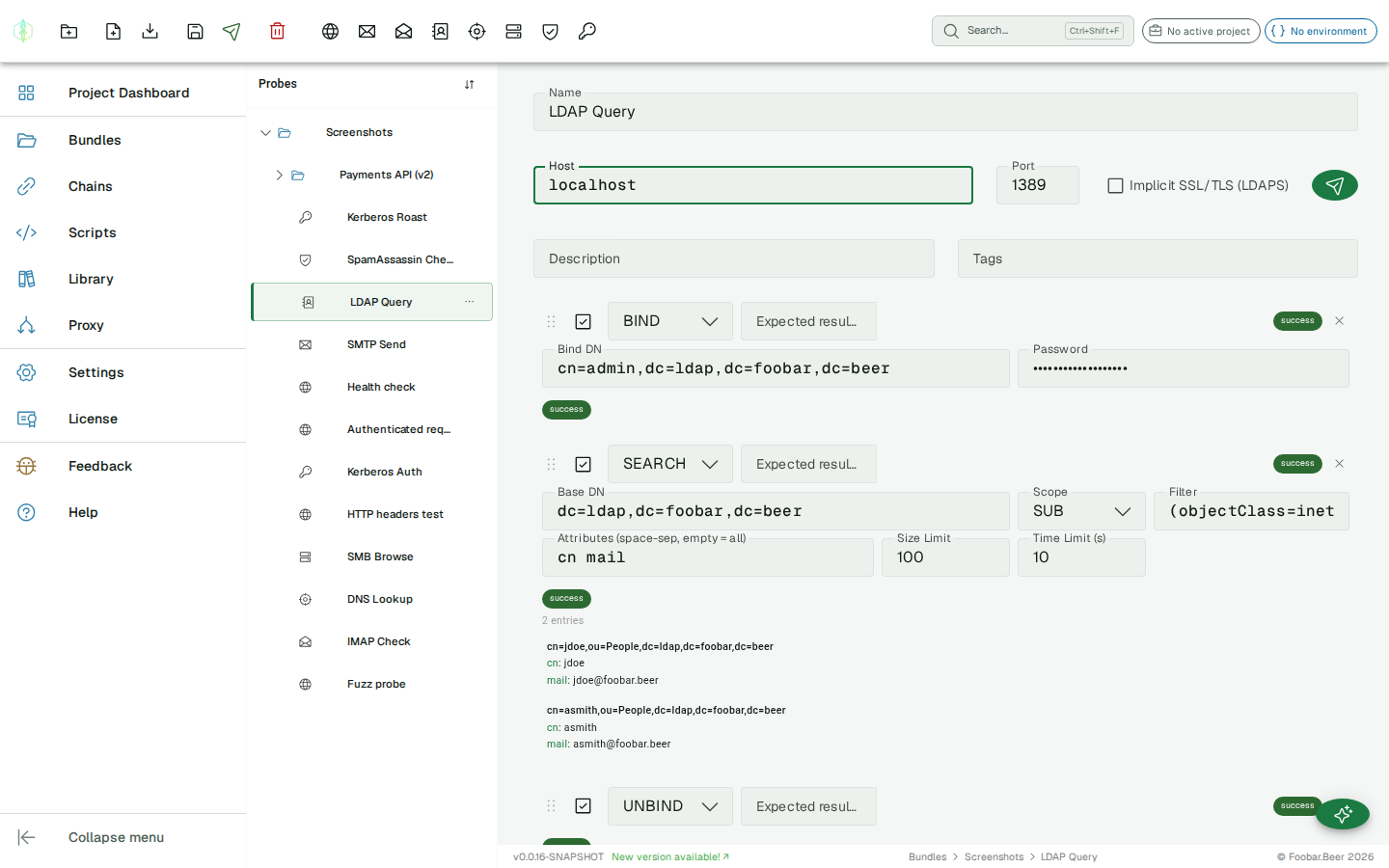
BIND | Authenticate with a DN and password |
SEARCH | Search the directory with a filter |
UNBIND | Close the session |
DELETE | Remove an entry by DN |
COMPARE | Test whether an entry has a given attribute value |
| Field | Description |
|---|---|
| DN | Distinguished name to bind as (e.g. cn=admin,dc=example,dc=com) |
| Password | Bind password |
SEARCH
Section titled “SEARCH”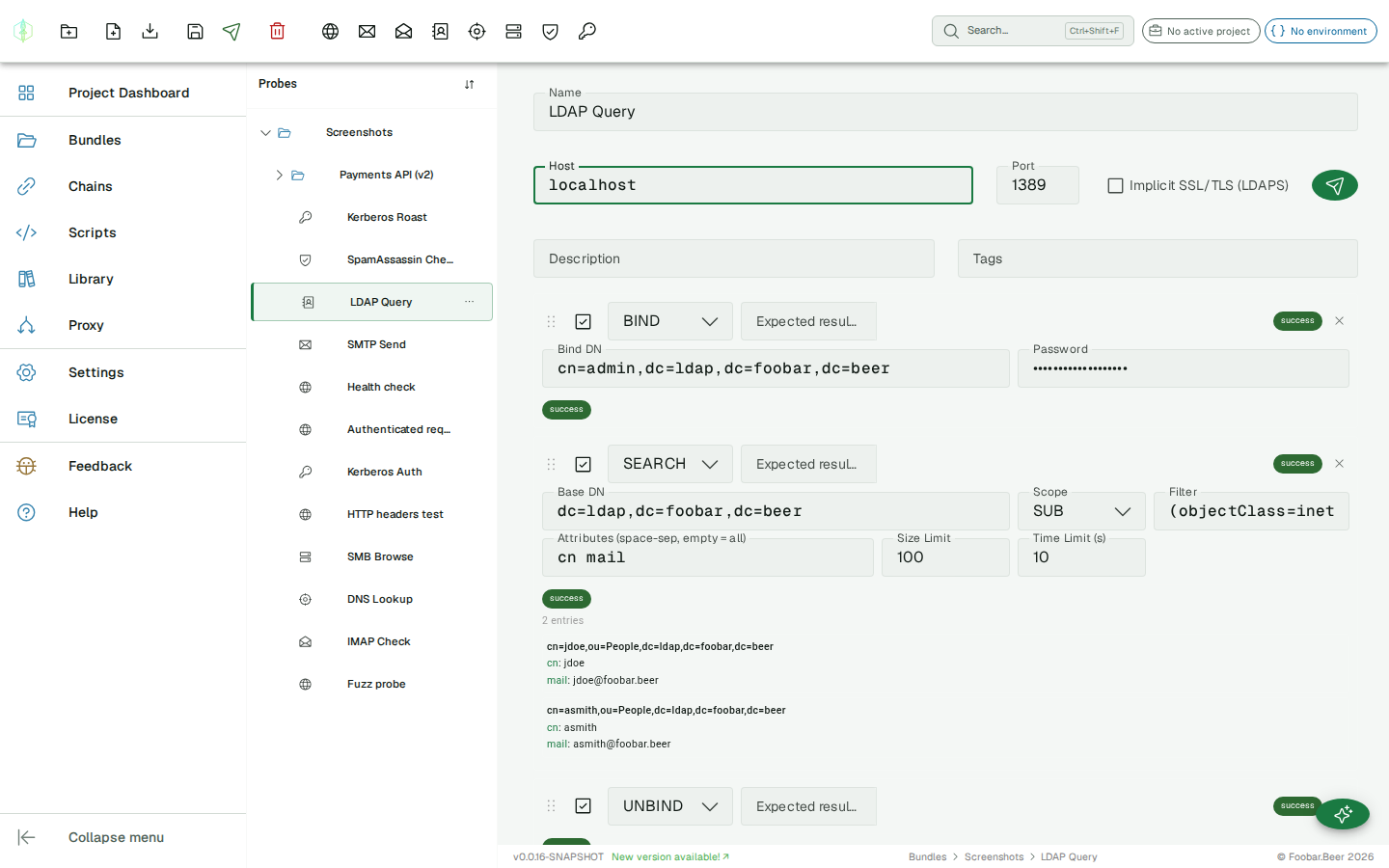
| Field | Description |
|---|---|
| Base DN | Search root |
| Scope | BASE, ONE, or SUB |
| Filter | RFC 4515 filter string (e.g. (uid=jdoe), (&(objectClass=person)(cn=*))) |
| Attributes | Comma-separated list of attributes to return (blank = all) |
| Size limit | Maximum number of entries to return |
| Time limit | Maximum server processing time in seconds |
Supported filter syntax: equality (cn=John), presence (cn=*), substring (cn=J*), >=, <=, and (&...), or (|...), not (!...).
COMPARE
Section titled “COMPARE”| Field | Description |
|---|---|
| DN | Entry to compare against |
| Attribute | Attribute name |
| Value | Value to compare |
Assertions
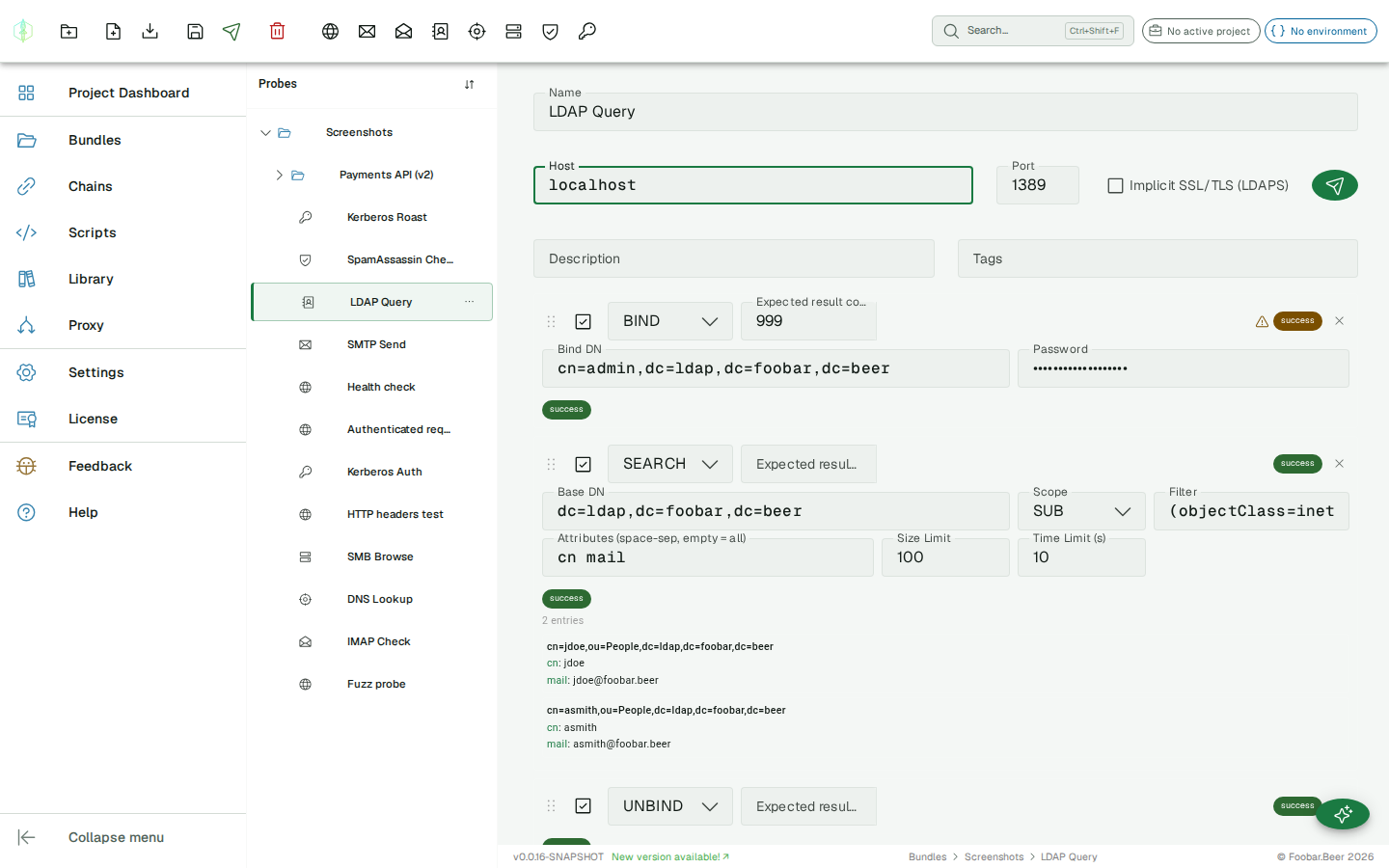
Section titled “Assertions”Set an expected result code on any operation. Standard LDAP result codes: 0 (success), 32 (no such object), 49 (invalid credentials), etc. If the actual code differs, the history entry is marked as failed.
Variable substitution
Section titled “Variable substitution”{{variable}} placeholders are supported in: host, DN, password, filter, attribute, and value fields.
History
Section titled “History”The history panel shows the result code and exchange data for each operation.