
Credentials & Auth
VirtuProbe keeps authentication in a credential store, not in per-probe fields. A credential is a reusable, named profile, a scheme plus its secrets, that probes, chain steps and scripts reference by id. Passwords, tokens and hashes are stored separately and never live on a probe or in its history.
This means you configure a credential once and reuse it everywhere, rotate a secret in one place, and share or export a probe without leaking the secret it authenticates with.
Schemes
Section titled “Schemes”| Scheme | Notes |
|---|---|
| Basic | Username + password (Authorization: Basic) |
| Bearer | Static bearer token |
| API Key | Named key sent as a header, query parameter, or cookie |
| Digest | RFC 7616 challenge-response |
| OAuth2 | Client Credentials, Password, Authorization Code and Device Code grants. VirtuProbe fetches the token, caches it, and sends it as a bearer |
| NTLM | Windows challenge-response with username + password |
| Pass-the-Hash (PTH) | NTLM using a 32-character hex NT hash, no cleartext password |
| SPNEGO / Kerberos | Authorization: Negotiate ticket obtained from a KDC for HTTP/<host> |
| AWS SigV4 | AWS request signing |
| Scripted | A JavaScript or Groovy script computes the auth headers at send time |
Scope: global vs project
Section titled “Scope: global vs project”Every credential has a scope:
- This project: offered only inside the project you’re working in. New credentials default to this scope when a project is active.
- Global: offered everywhere.
A credential picker always shows the active project’s credentials plus all global ones.
Managing credentials
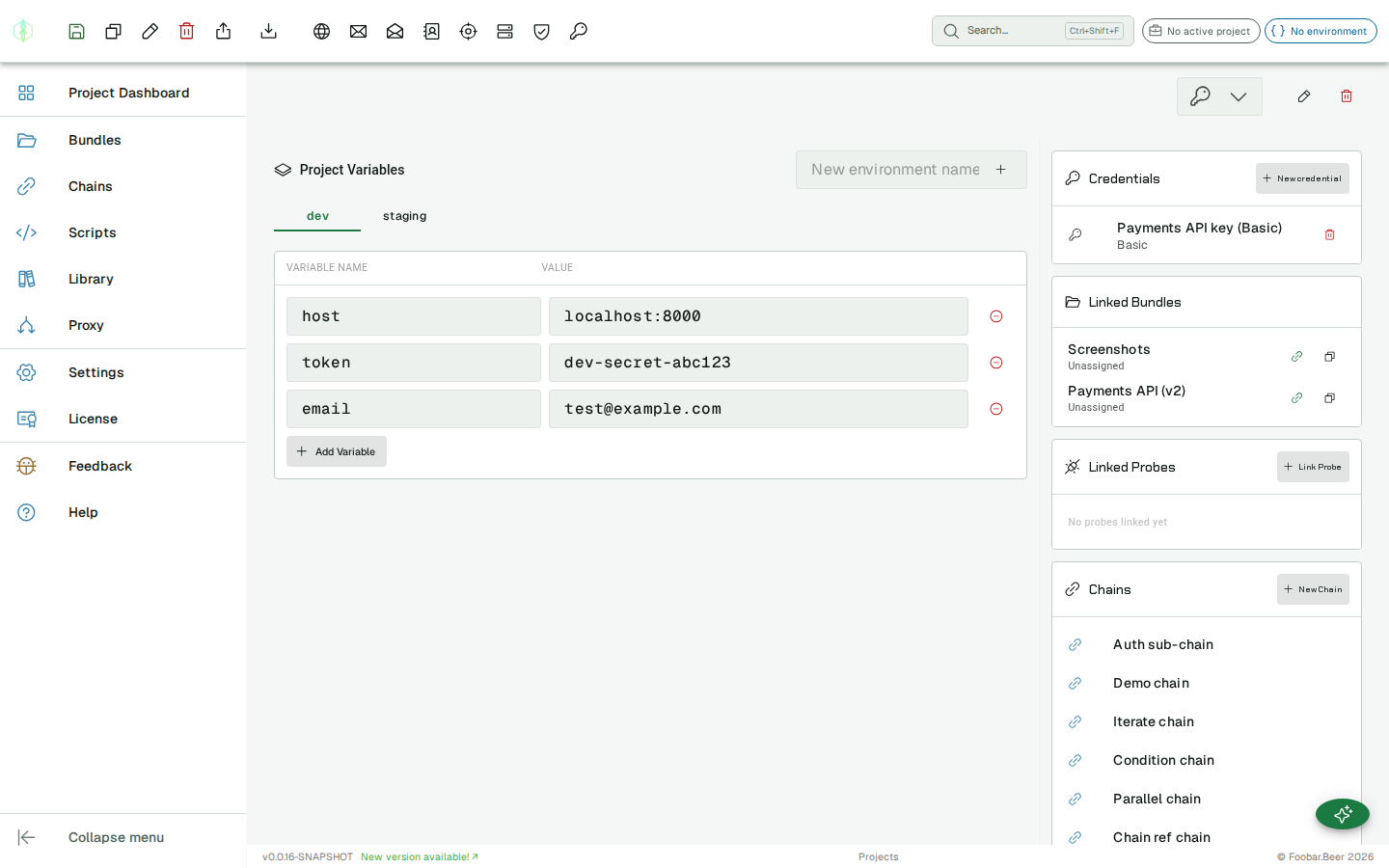
Section titled “Managing credentials”Open the Project Dashboard to manage project-scoped credentials: create, edit and delete them, and pick the project’s default credential.
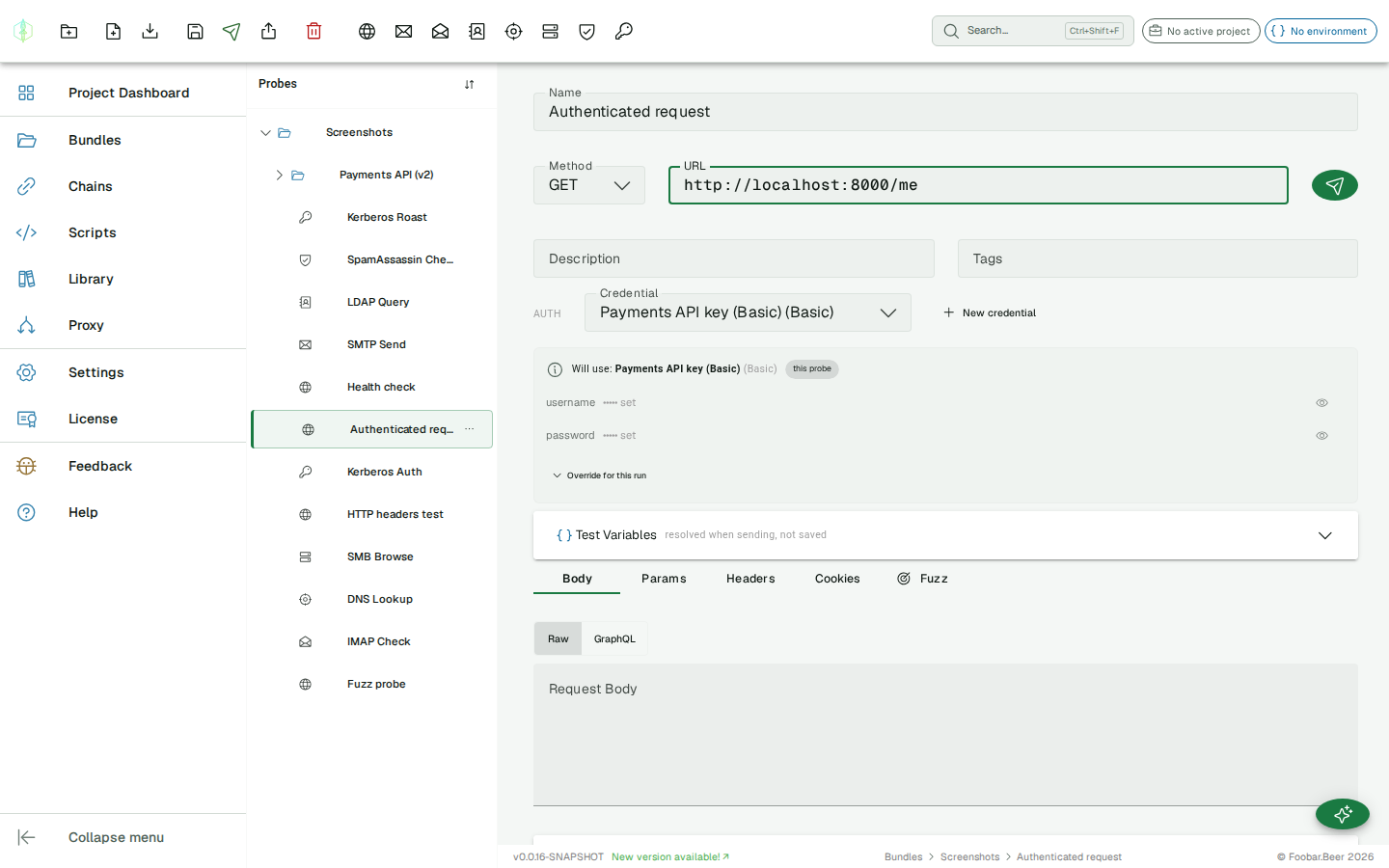
You can also create a credential inline from any HTTP probe via the Auth row’s New credential button. See HTTP authentication.
Resolution order (cascade)
Section titled “Resolution order (cascade)”A probe doesn’t have to carry its own credential. At send time the effective credential is resolved most-specific-first:
chain step override → probe credential → project defaultThe first non-empty link wins. So a probe with no credential of its own falls back to the project default, and a chain step can override both. The probe editor shows the resolved effective credential and where it came from, so there’s no guessing.
The same cascade applies to standalone sends, chains, and scripts. A script’s
vp.send(...) and a chain step both resolve through it.
Per-environment credentials
Section titled “Per-environment credentials”Any link in the cascade can point at an environment binding instead of a fixed credential. A binding is a name an environment maps to a credential, so switching the active environment swaps the credential a probe uses (the prod-vs-staging case) without editing the probe. The effective-credential summary shows an env binding source and the concrete credential it currently resolves to.
Seeing what will be used
Section titled “Seeing what will be used”Under the credential picker the probe editor shows a summary of the effective credential:
its name and scheme, a source chip (this probe or project default), the non-secret
config values (username, region, …) inline, and which secrets are set, shown masked
(••••• set). Each secret has a reveal (eye) control that fetches and shows the stored
value on demand, behind a confirmation. Reveal is a convenience for the local desktop app; the
values are still stored apart from the probe (see below).
OAuth2 token status
Section titled “OAuth2 token status”For an OAuth2 credential the probe editor also shows the state of its access token: a chip that reads Token active with a relative expiry, Token expired, or No token yet. An Authorization Code credential prompts you to Authorize with a one-time browser sign-in; Client Credentials and Password grants fetch a token on the first send. A Device Code credential gives you a short code and a link to open on another device, then waits for you to approve it there. The token is shown masked, with reveal and copy, and the chip tells you whether it will refresh automatically or needs re-authorizing. It is a read-only view: opening it never triggers a token fetch.
Overriding for a single run
Section titled “Overriding for a single run”Sometimes you want to try a different password or value just once without editing the shared credential. The summary’s Override for this run section gives an editable field for every config and secret entry. Anything you type there applies to the next send only, and it is never saved to the credential and never persisted on the probe; leave a field blank to use the stored value. The same idea applies to variables: the probe’s Variables panel shows an effective table (environment < inline < this-run) with a per-run override column.
Where secrets live
Section titled “Where secrets live”Secrets are written to the credential record only; the probe stores authCredentialId.
Probe history snapshots, JSON evidence exports and collection exports therefore never
contain secret material. They reference the credential by id. (The on-demand reveal above
returns a stored value to the editor only when you explicitly ask for it.)