
Library
The Library is a catalog of ready-made probes and chains that you can import into your projects with one click. It works like a package repository for test configurations: browse by protocol or service, preview the full payload, and add to any project.
Layout
Section titled “Layout”The Library view has three panes:
| Pane | Purpose |
|---|---|
| Collections (left) | Lists all available collections, built-in and user-added |
| Group tree (middle) | Hierarchical browser within the selected collection |
| Item grid (right) | Cards for all items matching the current group and search |
Both sidebars are resizable (drag the divider) and collapsible (hover the divider, click the arrow).
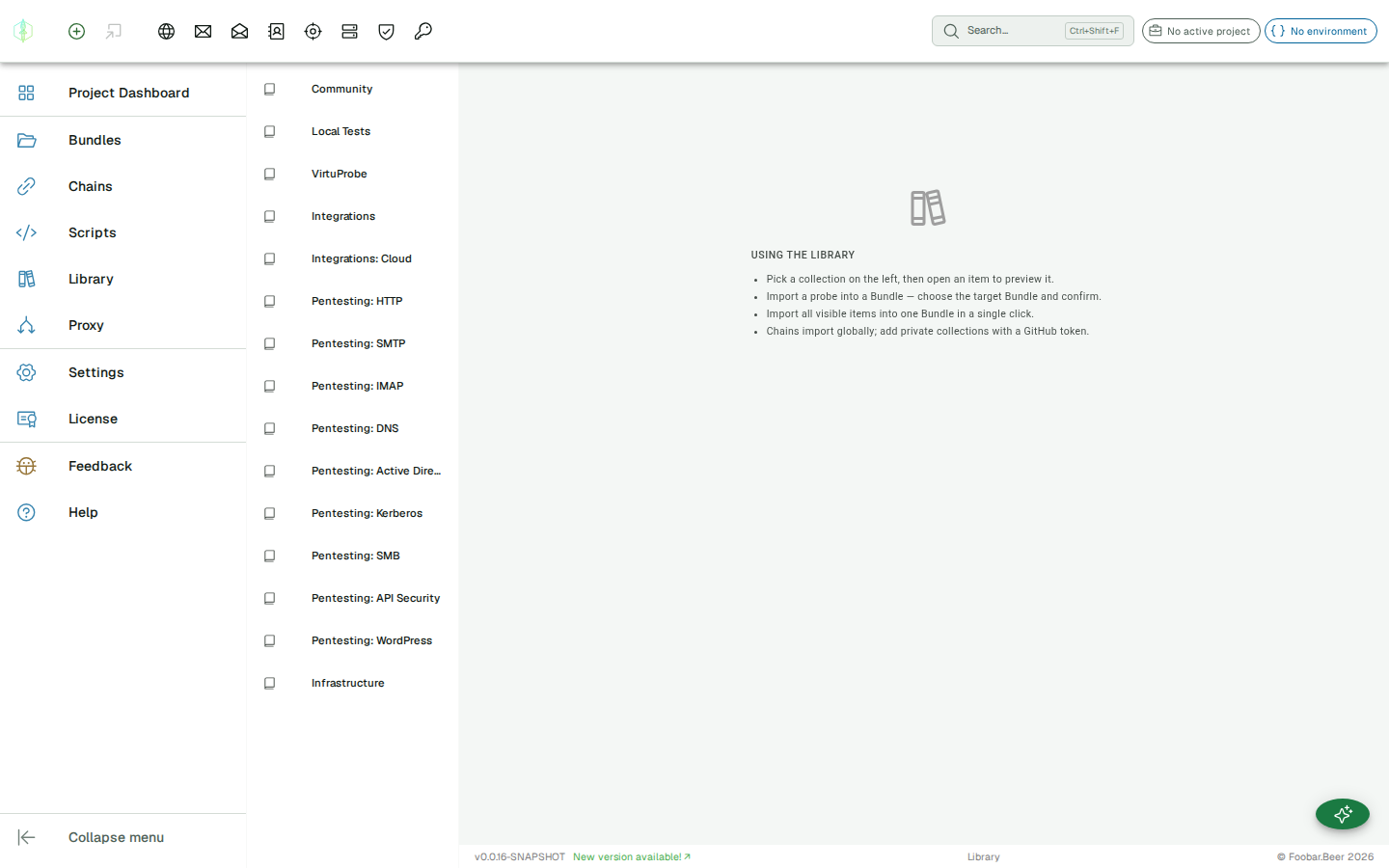
Collections
Section titled “Collections”A collection is a GitHub repository that contains an index.json catalog and the individual probe/chain JSON files.
Built-in collections
Section titled “Built-in collections”Collections delivered with your subscription appear automatically, with no configuration needed. The Community collection comes with every paid plan and contains probes for common public APIs and the local docker test environment. The Integrations, Integrations: Cloud and Infrastructure collections are included on Engineering and above; the Pentesting collections are included on Security and above.
User-defined collections
Section titled “User-defined collections”Click Add Collection in the toolbar to connect any GitHub repository:
| Field | Description |
|---|---|
| Name | Display name shown in the sidebar |
| GitHub Repository | owner/repo-name, the GitHub repo that hosts the collection |
| Personal Access Token | Leave empty for public repos. For private repos, provide a PAT with repo:read scope. |
The PAT is stored locally and sent to GitHub only when fetching index or item files.
Browsing
Section titled “Browsing”Group tree
Section titled “Group tree”When a collection is loaded, the group tree shows a two-level hierarchy built from the group metadata in the index. Click any node to filter the item grid:
- All: shows every item in the collection
- Top-level node (e.g. HTTP, SMTP, Micrometer): shows all items in that category
- Leaf node (e.g. httpbin, MailHog): shows only items from that service
Top-level nodes expand and collapse; all groups open by default when the collection loads.
Search
Section titled “Search”The search field above the item grid filters by name, description, protocol, and tags simultaneously. Search and group filters combine, so searching inside a selected group narrows results further.
Importing
Section titled “Importing”Click any item card to open the detail dialog. The dialog shows:
- Name and description
- Tags
- The full probe or chain payload with syntax-highlighted JSON
Importing a probe
Section titled “Importing a probe”Select a target bundle from the dropdown in the dialog footer, then click Add to Bundle. The probe is created inside the selected bundle immediately, and it works identically to importing from a file.
Importing a chain
Section titled “Importing a chain”Select a Target Project from the dropdown in the dialog footer (it defaults to your active project), then click Import Chain. The chain is placed in that project’s Default bundle and appears in the Project Explorer straight away. You can then move it to another bundle, edit it, rename it, or run it.
Community collection
Section titled “Community collection”The Community collection ships with these groups:
| Group | What’s inside |
|---|---|
| HTTP | Public APIs: httpbin, JSONPlaceholder, Open-Meteo, REST Countries, PokéAPI, GitHub API |
| SMTP / IMAP | MailHog and GreenMail probes for a local mail test environment |
| Local Tests | Full protocol coverage for a local test stack (HTTP, SMTP, IMAP, SpamAssassin, LDAP), plus chain scenarios that exercise it end to end |
| Micrometer | Spring Boot Actuator probes, and a chain that breaks a request down into stage timings |
| Chains | Standalone chain demos: variable passing, ITERATE, JSON Path extraction |
Collection file format
Section titled “Collection file format”A collection repository must contain an index.json at the root:
{ "vpLibVersion": 1, "entries": [ { "name": "My probe", "description": "What it does", "protocol": "HTTP", "group": ["HTTP", "My Service"], "tags": ["http", "rest"], "path": "http/my-service/my-probe.json" } ]}Each path points to a probe or chain JSON file relative to the repository root. Files can be nested to any depth, and the directory structure is independent of the group metadata used for the UI tree.
For chains, set "protocol": null and "type": "chain" in the item file.
See Import / Export format for the full file specification.